


Compliance reports
Periodic compliance reports: facts counted from the records, a narrative drafted by the AI, edited and finalized by Compliance, with a PDF.
At a glance
- Where
- Compliance › Reports (
/app/compliance/reports) - Who
- Compliance (review compliance). Roles and permissions
Try it in the demo A private sandbox firm, no sign-up. Simulated data only.
Step by step
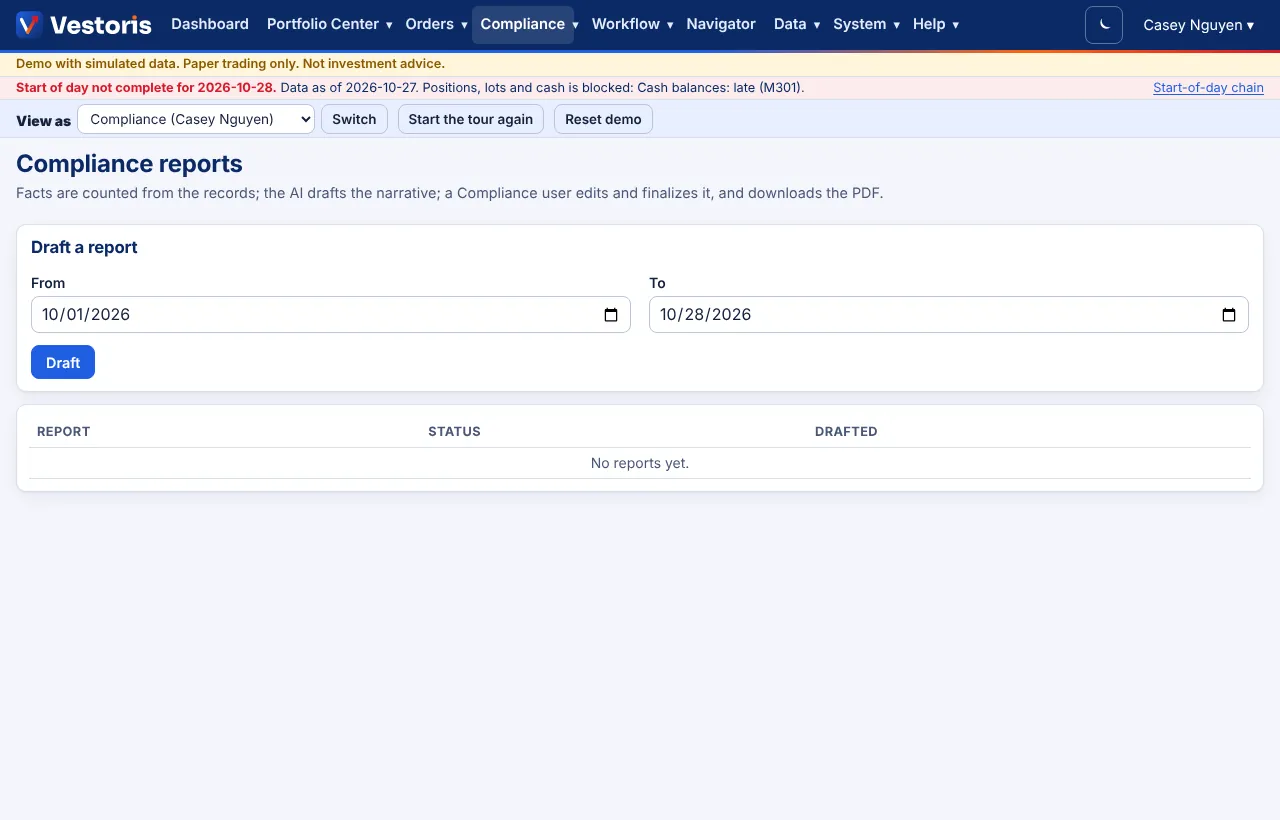
- Compliance › Reports: choose From and To and press Draft.
- Vestoris counts the facts of the period from the records (rule changes and sign-offs, violations by kind and status, overrides, surveillance alerts, access reviews). The AI drafts the narrative from those facts only (marked AI); without the AI a standard text is used.
- Open the draft, edit the text, and finalize it: the text is frozen and fingerprinted (SHA-256).
- Download the PDF.
Over the API, POST /compliance/reports answers 202 with a job; poll GET /jobs/{id}.
Related articles
Do it with the API
Every action on this screen can also be done by your own systems, under the same permissions. See Authentication to get a token.
- GET
/api/v1/compliance/reportsPeriodic compliance reports - POST
/api/v1/compliance/reportsGenerate a report for a period (202: a job) - GET
/api/v1/jobs/{id}A long-running operation (202 responses point here)
Paper trading only: orders and fills in Vestoris are simulated. Nothing here is investment advice.