


Help center › Data and Interfaces
Load history
Every batch: who loaded it and when, the file's SHA-256, the counts and its status; open one for the diff, the rejected rows, undo and the original file.
At a glance
- Where
- System › Data and Interfaces › Load history (
/app/data/batches) - Who
- Operations and Admins (load data). Roles and permissions
Try it in the demo A private sandbox firm, no sign-up. Simulated data only.
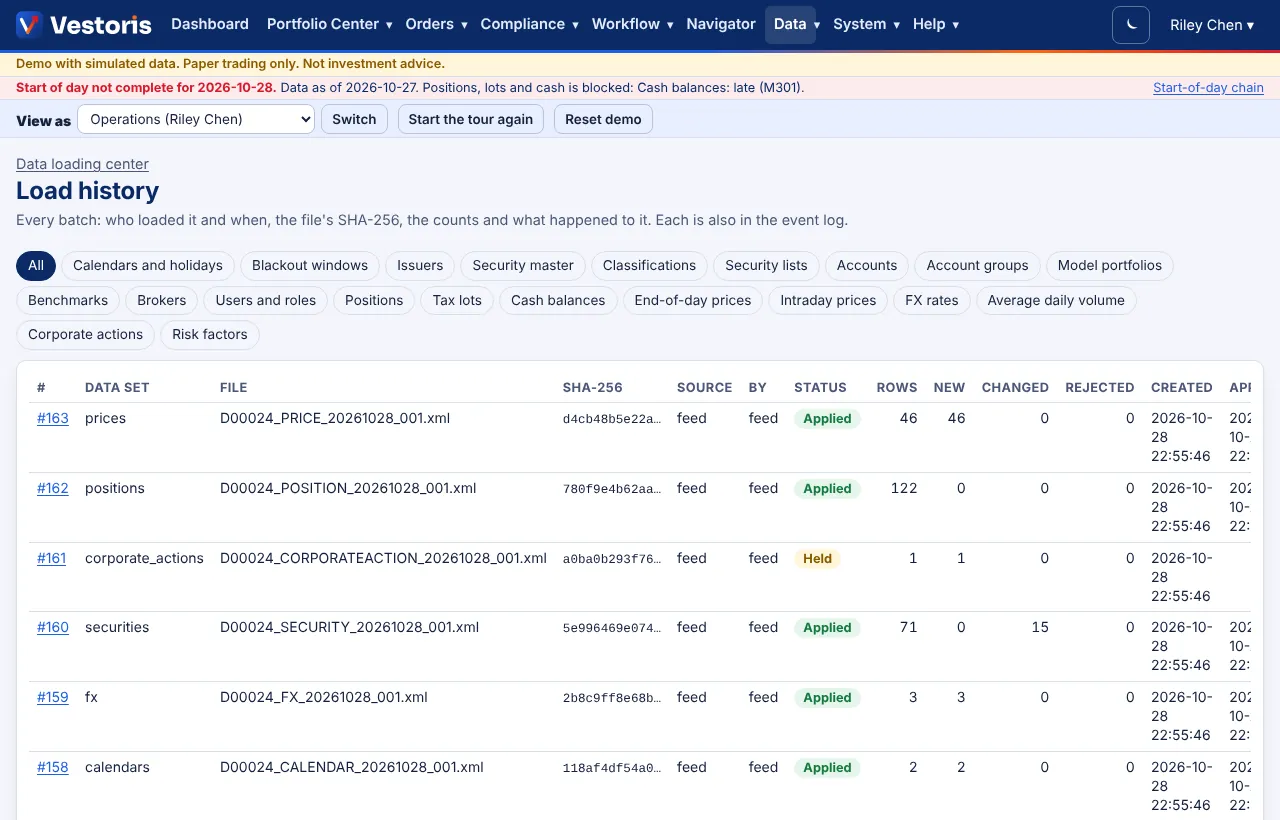
Filter by data set. Columns: batch number, data set, file, SHA-256, source (upload, feed, API, folder, AI suggestion), by whom, status (Staged, Held, Applied, Undone, Rejected, Discarded), rows, new, changed, rejected, created and applied.
A batch
Open it for the file and format, mode, business date and source; the counts (new, changed, unchanged, rejected; each opens its rows); a note on how the file was read (e.g. "Vestoris XML price 1.1: no column mapping needed"); the diff row by row; Undo the batch; Original file; and for rejected rows the error file with codes.
Undo
Undo the batch reverses every change of the batch in one transaction, including corporate actions it applied. It is refused, with the reason, when later data depends on it (for example a trade on loaded lots).
Related articles
Do it with the API
Every action on this screen can also be done by your own systems, under the same permissions. See Authentication to get a token.
- GET
/api/v1/batchesLoad history - GET
/api/v1/batches/{id}A batch's status and counts - GET
/api/v1/batches/{id}/rowsA batch's rows: the diff and the rejected rows with codes - POST
/api/v1/batches/{id}/applyApply a staged batch - POST
/api/v1/batches/{id}/undoUndo an applied batch (unless later trades depend on it) - POST
/api/v1/batches/{id}/discardDiscard a staged batch
Paper trading only: orders and fills in Vestoris are simulated. Nothing here is investment advice.