


Entering a new order
Enter a single-account or block order; it is checked against every active rule when you submit it.
At a glance
- Where
- Orders › New order (
/app/orders/new) - Who
- Roles that can propose or trade: Portfolio Manager, Trader, Admin, on accounts where they hold propose or trade. Roles and permissions
Try it in the demo A private sandbox firm, no sign-up. Simulated data only.
On this page
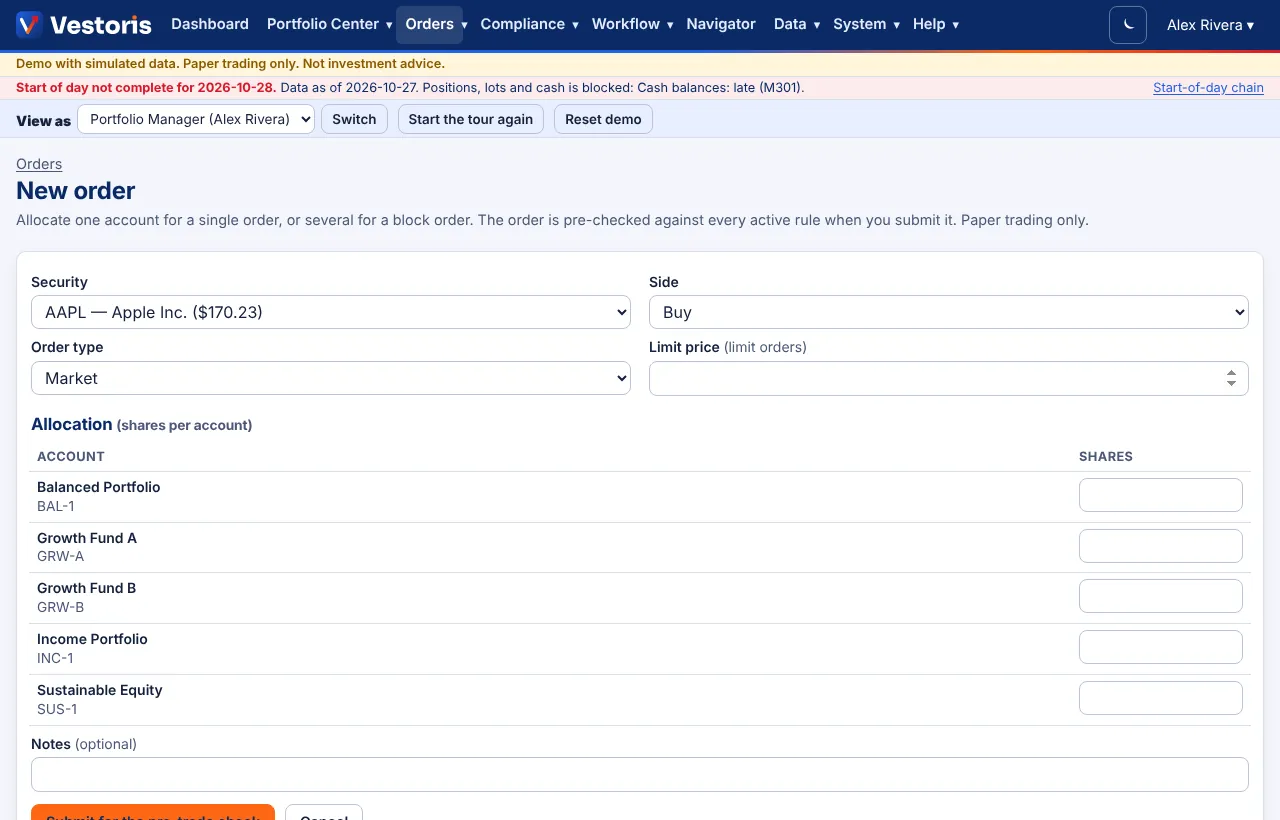
Step by step
- Orders › New order (or New order on the dashboard or an account).
- Security: pick it from the list (the last close is shown).
- Side: Buy or Sell. Order type: Market or Limit; a limit order needs a limit price.
- Allocation (shares per account): shares for one account (a single order) or several (a block order). Only accounts where you may propose or trade are listed.
- Notes (optional), then Submit for the pre-trade check.
What happens next
- Every rule passes: the order is Approved, or Pending approval when it is above the firm's thresholds or a workflow rule asks for approval.
- A soft warning: Compliance hold until someone writes an override reason (Overrides).
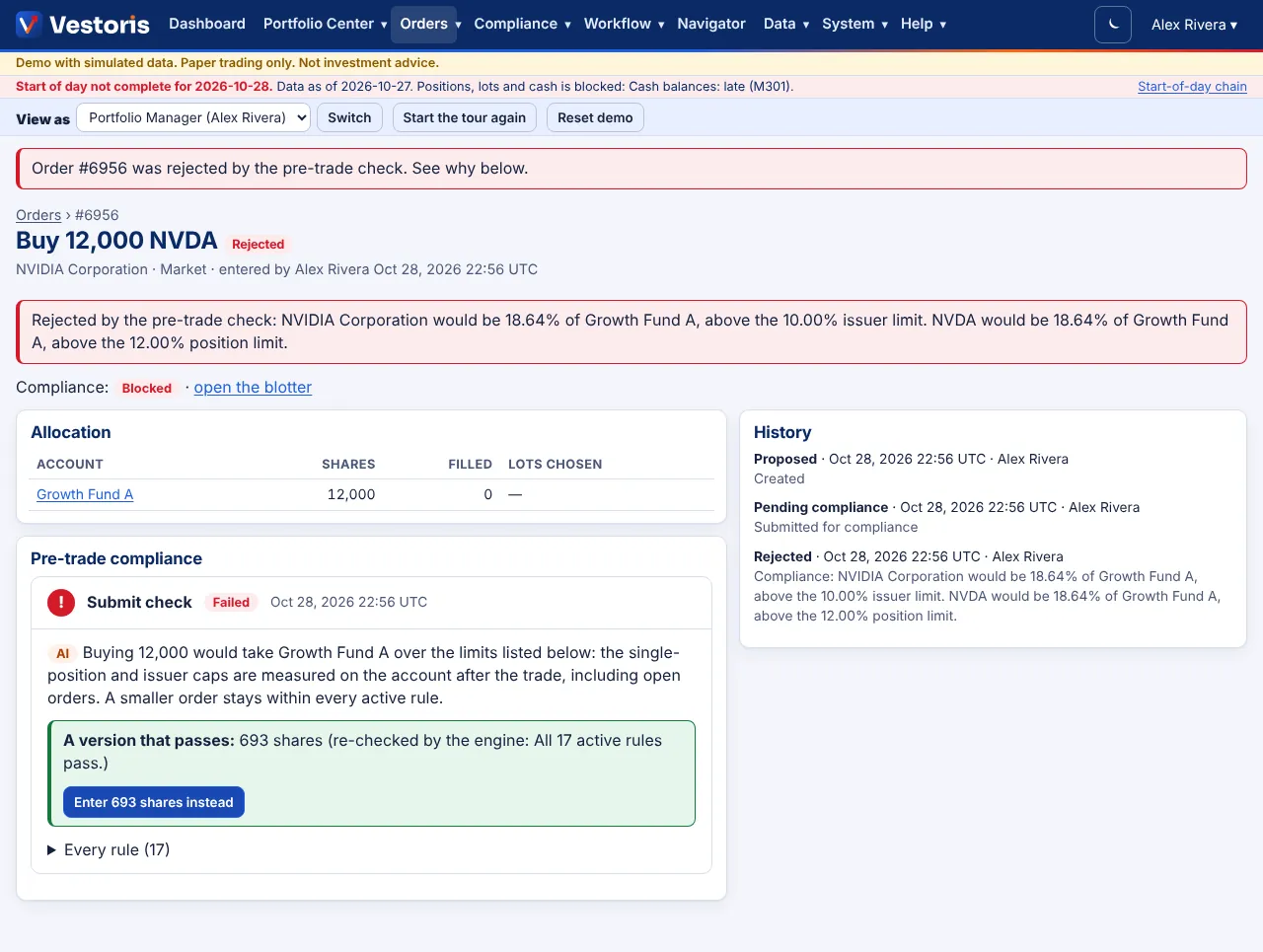
- A hard block: Rejected, with the measured value and the limit, an explanation, and when possible a smaller version that passes, re-checked by the engine.
Fields
| Field | Notes |
|---|---|
| Order type | Market fills at the simulated price; Limit only at the limit or better. The fat-finger rule blocks a limit far from the last price. |
| Allocation | Sales use the account's lot method (tax-optimal or FIFO) unless lots are chosen. |
| Notes | Free text, shown on the blotter and in the history. |
Tips
- To trade toward a model, start from a rebalance proposal or the Intent Pipeline instead: trades are computed and pre-checked for you.
- Over the API,
POST /api/v1/orderswith an Idempotency-Key does exactly the same.
Related articles
Do it with the API
Every action on this screen can also be done by your own systems, under the same permissions. See Authentication to get a token.
- POST
/api/v1/ordersEnter an order: checked by compliance and routed by the workflow rules like any order (paper trading) - GET
/api/v1/orders/{id}One order with allocations, compliance and history
Paper trading only: orders and fills in Vestoris are simulated. Nothing here is investment advice.