


Workflow rules
Conditions and actions that decide approvals, queues, assignment, priority and SLAs; drafted in a sentence or a form, replayed on a test bench, signed off by an Admin (and Compliance when weaker).
At a glance
- Where
- Workflow › Workflow rules (
/app/workflow/rules) - Who
- Everyone except Viewers can read and draft (workflow:rules:write over the API). Every change is signed off by an Admin; Compliance also signs changes that weaken an approval, or that the signing Admin asked for. Roles and permissions
Try it in the demo A private sandbox firm, no sign-up. Simulated data only.
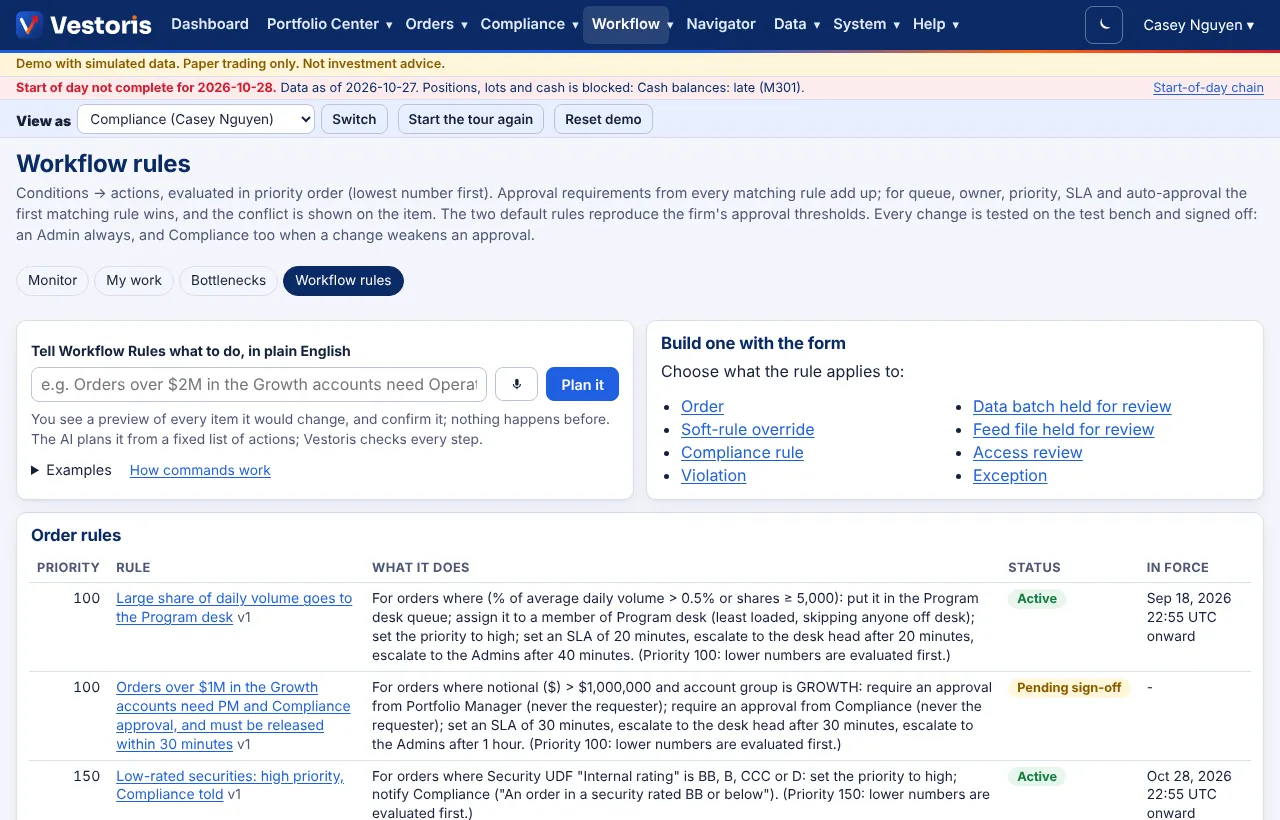
A rule has conditions and actions, and a priority (lower numbers are evaluated first). Rules are grouped by what they apply to: orders, soft-rule overrides, compliance rules, violations, data batches and feed files held for review, access reviews and exceptions.
Conditions
Account, account group, rule package, asset class, sector, country, side, shares, notional, % of the account, % of average daily volume, the compliance result (pass, warning, override), origin (AI-proposed or manual), time of day and market session (New York), the requester's role, user-defined fields of the security or account; for violations the severity; for held data the data set. Operators: =, ≠, is one of, is not one of, ≥, ≤, between. All conditions must hold and at least one Any condition. A value can follow a firm setting, e.g. the firm's approval threshold.
Actions
Require 1-3 approvals from roles or named people; auto-approve below a threshold; put the item in a desk's queue; assign it (round-robin or least loaded among the desk's members who are on desk, or a named person); set the priority; set an SLA with an escalation chain; notify people.
How rules combine
- Approval requirements add up across matching rules. For queue, owner, priority, SLA and auto-approval the first matching rule wins, and the item shows which rule was overridden.
- Four eyes, always: the requester never approves; nobody approves twice. "Approver on the account" needs approve on every account of the order; a role requirement needs that role and view access to the accounts.
- Auto-approval applies only when its rule comes before every approval rule that matches, within its limit, never to anything compliance marked hard, never to an order after a soft warning or override, and never to an AI-originated item above the firm's AI limit.
- The default rules reproduce the firm's approval thresholds (orders above the order value or % of account need an approver; overrides above the override threshold need Compliance). With no other rules, Vestoris behaves exactly as before.
Write a rule
- In a sentence on the command bar: "Orders over $1M in the Growth accounts need PM and Compliance approval, and must be released within 30 minutes." The AI (or a built-in parser) proposes the structure; Vestoris checks every field, role, desk and account; code writes the restatement you sign off. Or Build one with the form:
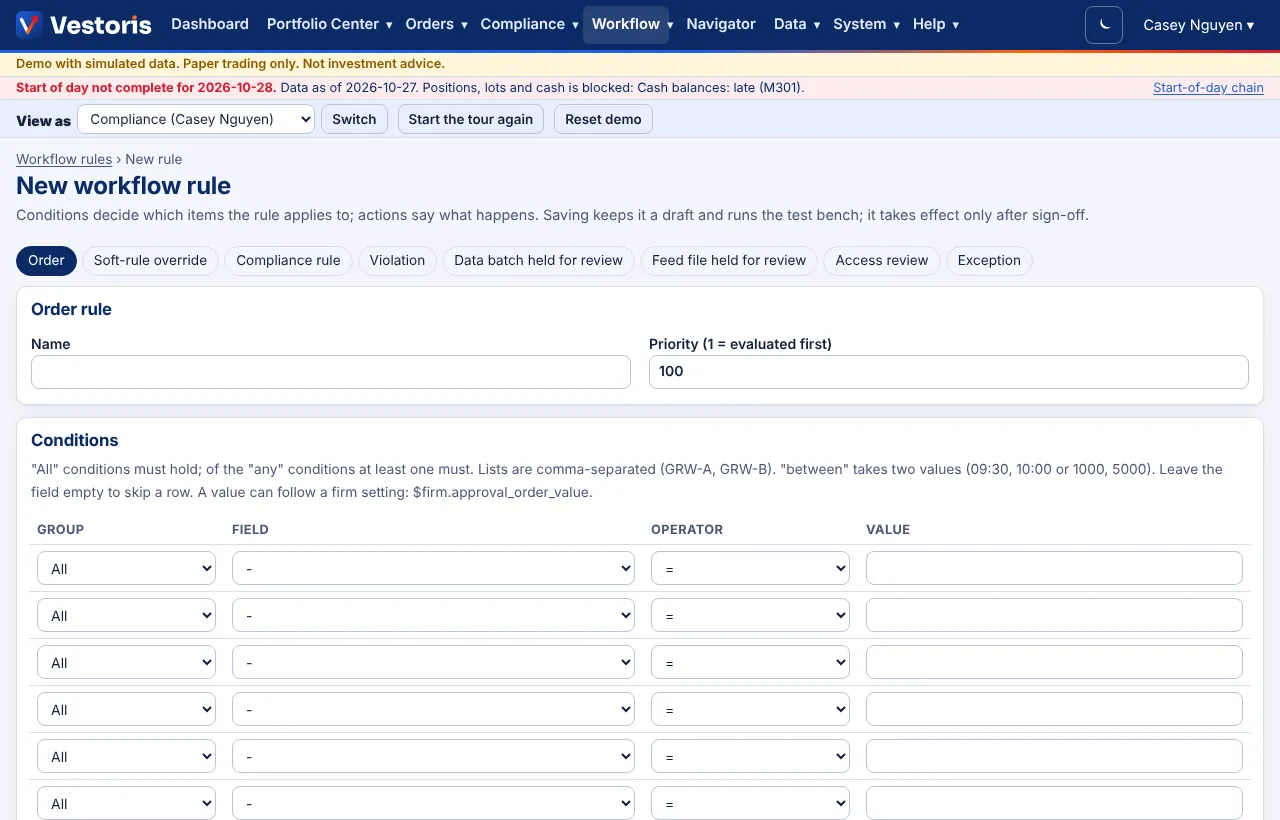
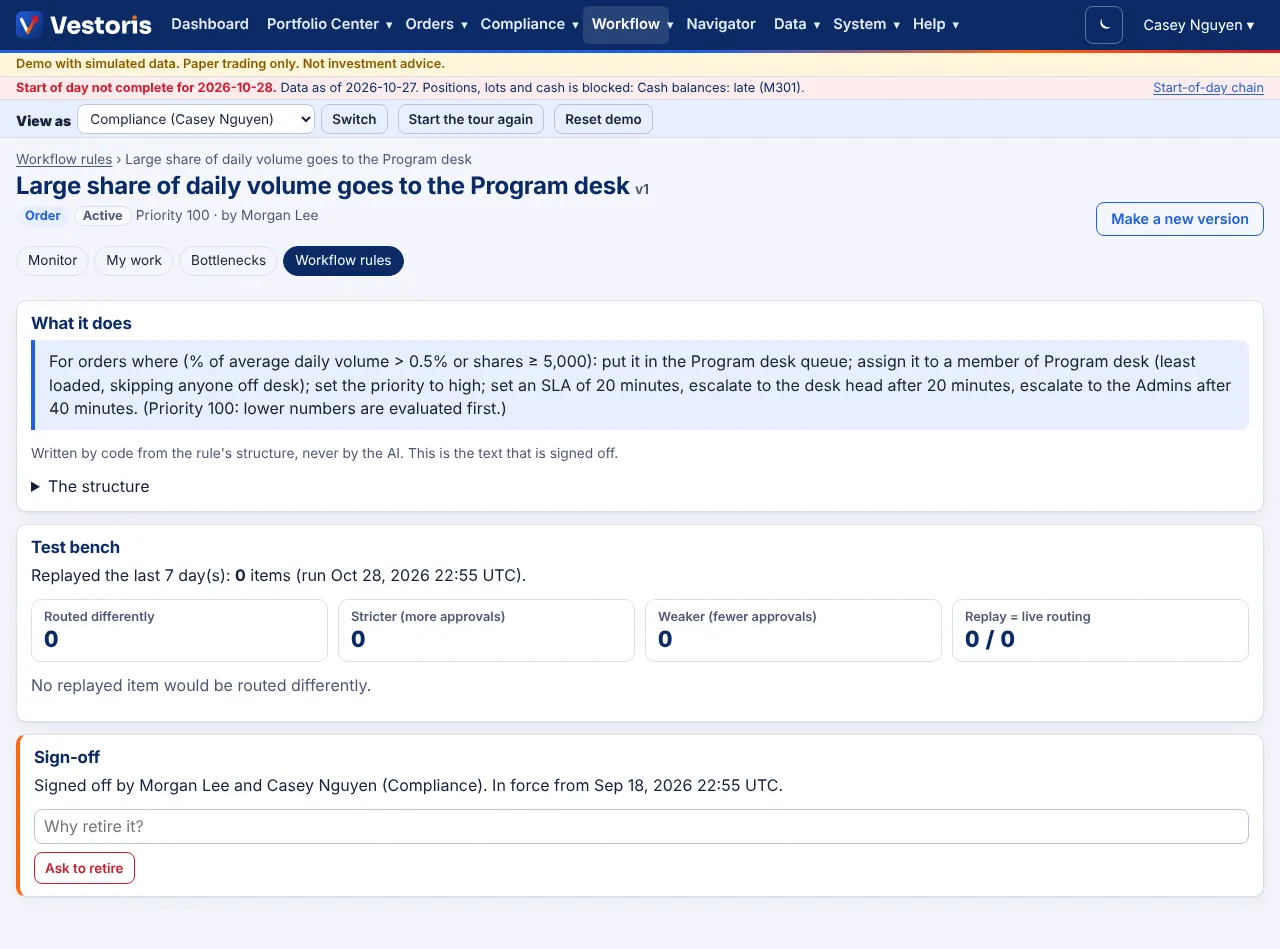
- Test bench: saving replays the last days of items of that kind under the current rules and with your change, and shows each item that would be routed differently, how many get stricter or weaker, and that the replay matches live routing.
- Submit, then sign off: an Admin always; Compliance too when the change weakens an approval (an auto-approval, fewer or looser approvals, retiring an approval rule) or the signing Admin asked for it. Compliance never signs a change it asked for. Choose when it takes effect; the version it replaces stays in force until then.
Change or retire
Make a new version (Make a new version), or Ask to retire with a reason; both are signed off the same way. Every version keeps its dates so past routing can be replayed.
Related articles
Do it with the API
Every action on this screen can also be done by your own systems, under the same permissions. See Authentication to get a token.
- GET
/api/v1/workflow/rulesWorkflow rules (every version) - GET
/api/v1/workflow/rules/{id}One workflow rule - POST
/api/v1/workflow/rulesDraft a rule from a structure, or from a sentence ("text"); replayed on the test bench - POST
/api/v1/workflow/rules/{id}/test-benchReplay the last days of items (202: a job) - POST
/api/v1/workflow/rules/{id}/submitSubmit for sign-off - GET
/api/v1/workflow/rules/{id}/sign-offWhat you would sign off, with a confirmation token - POST
/api/v1/workflow/rules/{id}/sign-offSign off as Admin or Compliance (a person; X-Vestoris-Confirm)
Paper trading only: orders and fills in Vestoris are simulated. Nothing here is investment advice.