


Help center › System and administration
Firm settings
The thresholds that decide when a person must approve, AI use and retention, surveillance parameters and rule sign-off.
At a glance
- Where
- System › Firm settings (
/app/settings) - Who
- Admins (manage settings). Roles and permissions
Try it in the demo A private sandbox firm, no sign-up. Simulated data only.
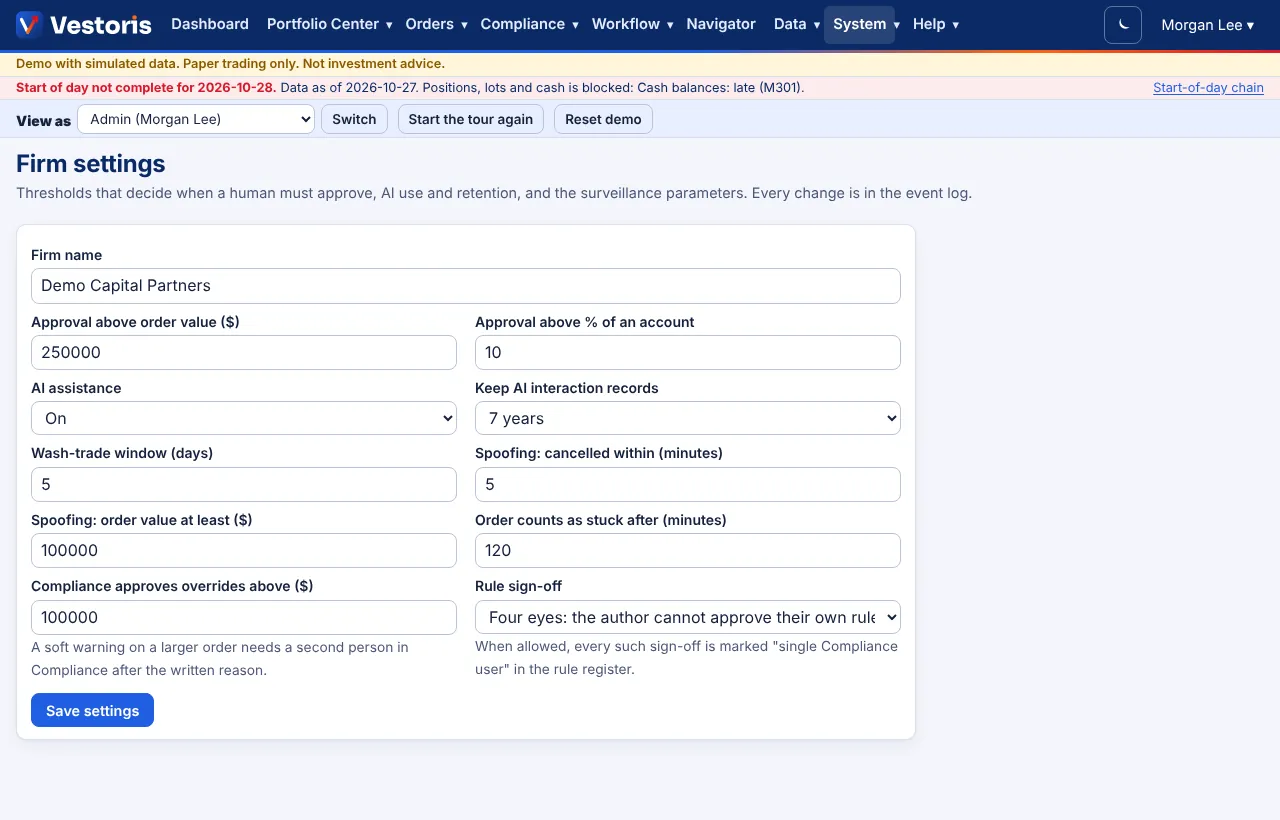
| Setting | What it does |
|---|---|
| Firm name | Shown in the app and on sign-in. |
| Approval above order value ($) | Orders above this value need an approver (the default workflow rule). |
| Approval above % of an account | Orders whose part in one account is above this percent need an approver. |
| AI assistance | On, or Off (everything deterministic): explanations fall back to standard text, requests to the built-in parser. |
| Keep AI interaction records | 1, 3, 6, 7 or 10 years. |
| Wash-trade window (days) | For the wash-trade detector. |
| Spoofing: cancelled within (minutes), order value at least ($) | For the spoofing detector. |
| Order counts as stuck after (minutes) | For order health and stuck alerts. |
| Compliance approves overrides above ($) | A soft warning on a larger order needs a second person in Compliance after the written reason. |
| Rule sign-off | Four eyes (the author cannot approve their own rule), or Single Compliance user may approve their own rules for small firms (each such sign-off is marked in the register). |
Save settings. Every change is in the event log. API limits (token lifetimes, requests a minute) are on API clients and webhooks.
Related articles
Do it with the API
Every action on this screen can also be done by your own systems, under the same permissions. See Authentication to get a token.
- GET
/api/v1/firmThe firm and its settings - PATCH
/api/v1/firmChange settings (If-Match)
Paper trading only: orders and fills in Vestoris are simulated. Nothing here is investment advice.