


Writing a rule in plain English
Write a rule the way you would say it; the AI conforms it to a rule type or asks a question; code restates it; a test bench and a sign-off follow. Rules can also be extracted from a mandate.
At a glance
- Where
- Compliance › Write a rule (
/app/compliance/author) - Who
- Users with author compliance rules: Portfolio Managers and Compliance. Roles and permissions
Try it in the demo A private sandbox firm, no sign-up. Simulated data only.
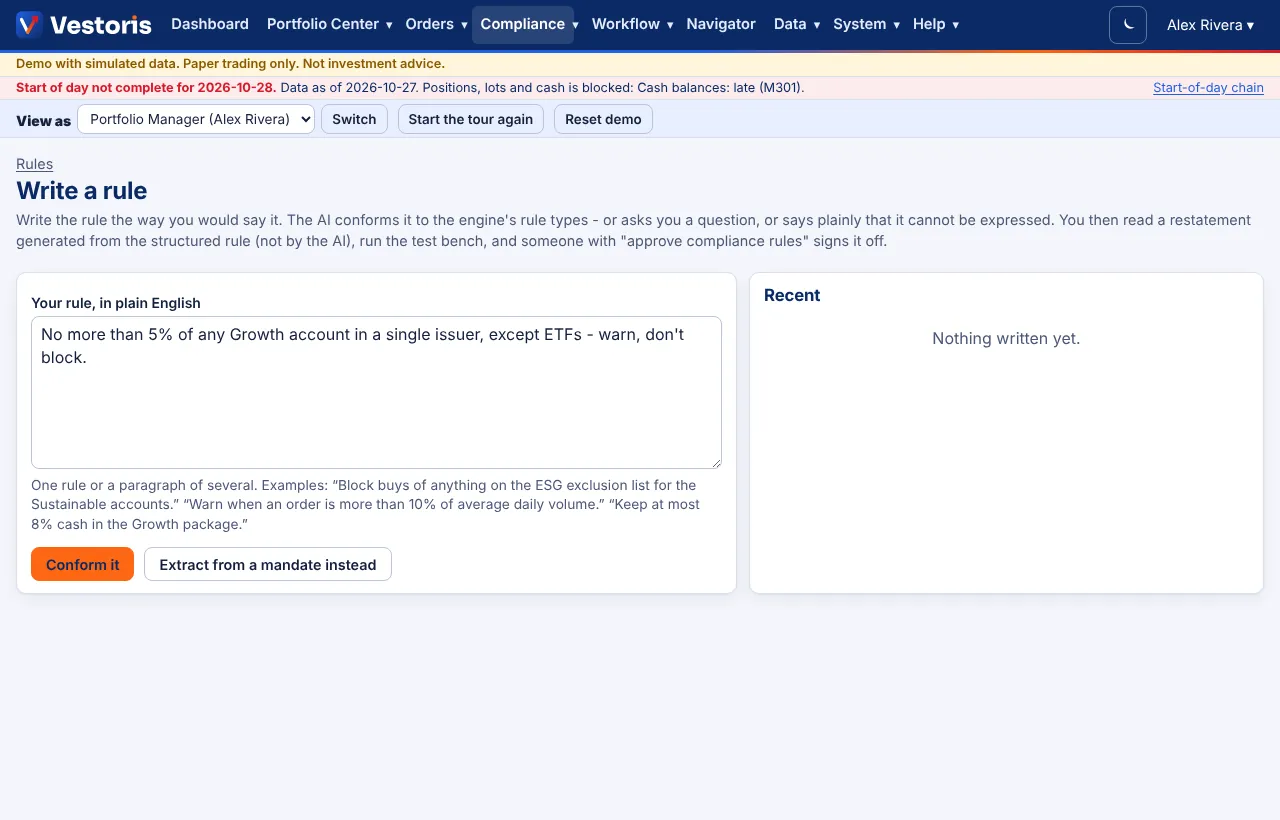
Compliance › Write a rule is the main way to create or change a rule.
Step by step
- Write one rule or several, as you would say them: "No more than 5% of any Growth account in a single issuer, except ETFs - warn, don't block." Other examples: "Block buys of anything on the ESG exclusion list for the Sustainable accounts." "Warn when an order is more than 10% of average daily volume." Press Conform it.
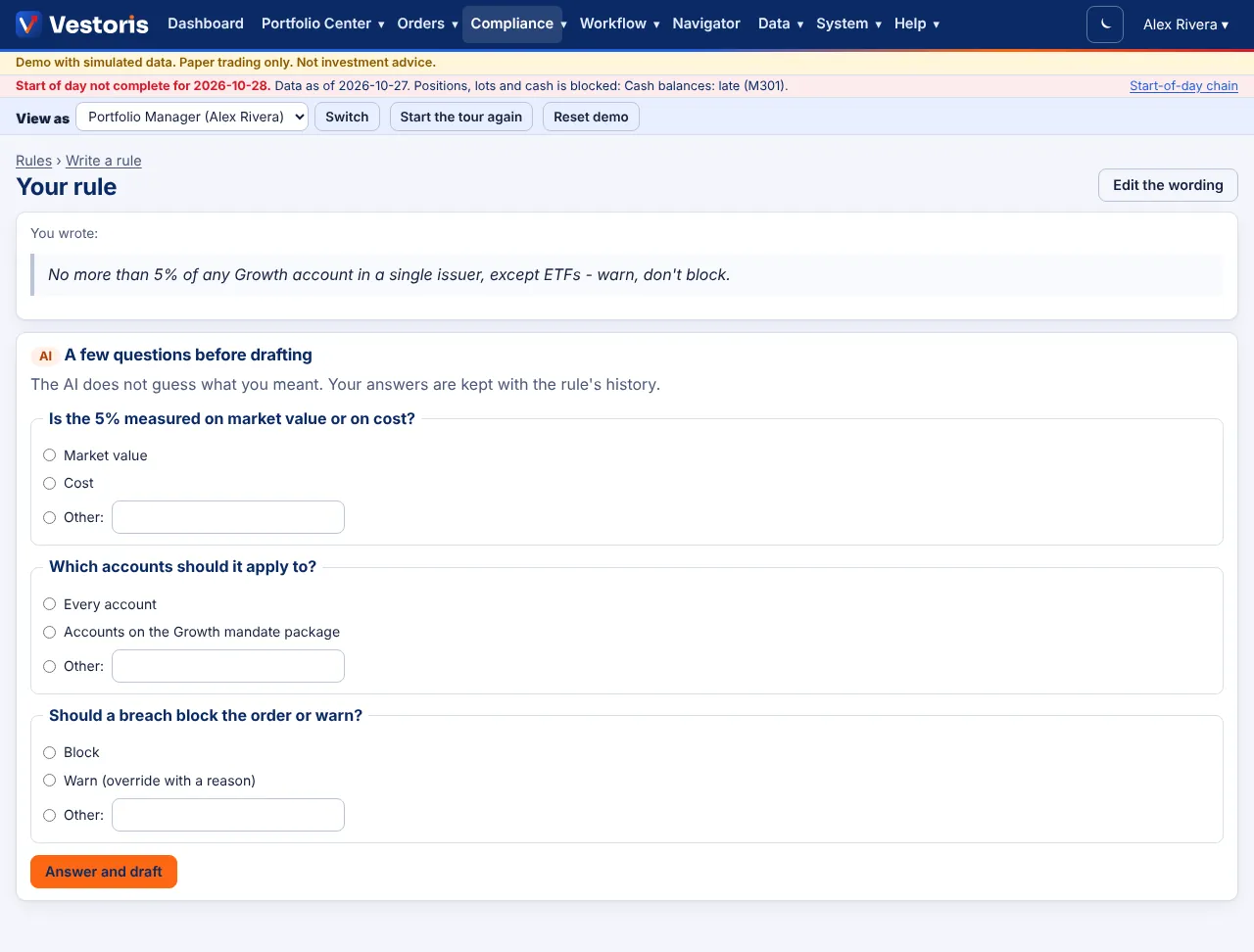
- Clarify: when something material is ambiguous (market value or cost? which accounts? block or warn?), the AI asks instead of guessing. Answer and press Answer and draft. Your answers are kept with the rule's history.
- Unsupported requests are said plainly. You can take the closest supported rule (marked as not enforcing everything you asked) or record needs a new rule type for the Vestoris team. Nothing is approximated silently.
- Validate: the AI's structured answer is checked by code against the rule type's schema; anything invalid is rejected with the reasons and nothing is saved.
- Restatement: the draft's page shows your wording beside a restatement generated by code from the structured rule (what the engine will actually enforce), with anything the AI flagged highlighted.
- Test bench and submit, then someone with approve compliance rules who is not you signs it off. See Rules, the test bench and sign-off.
Rules from a mandate
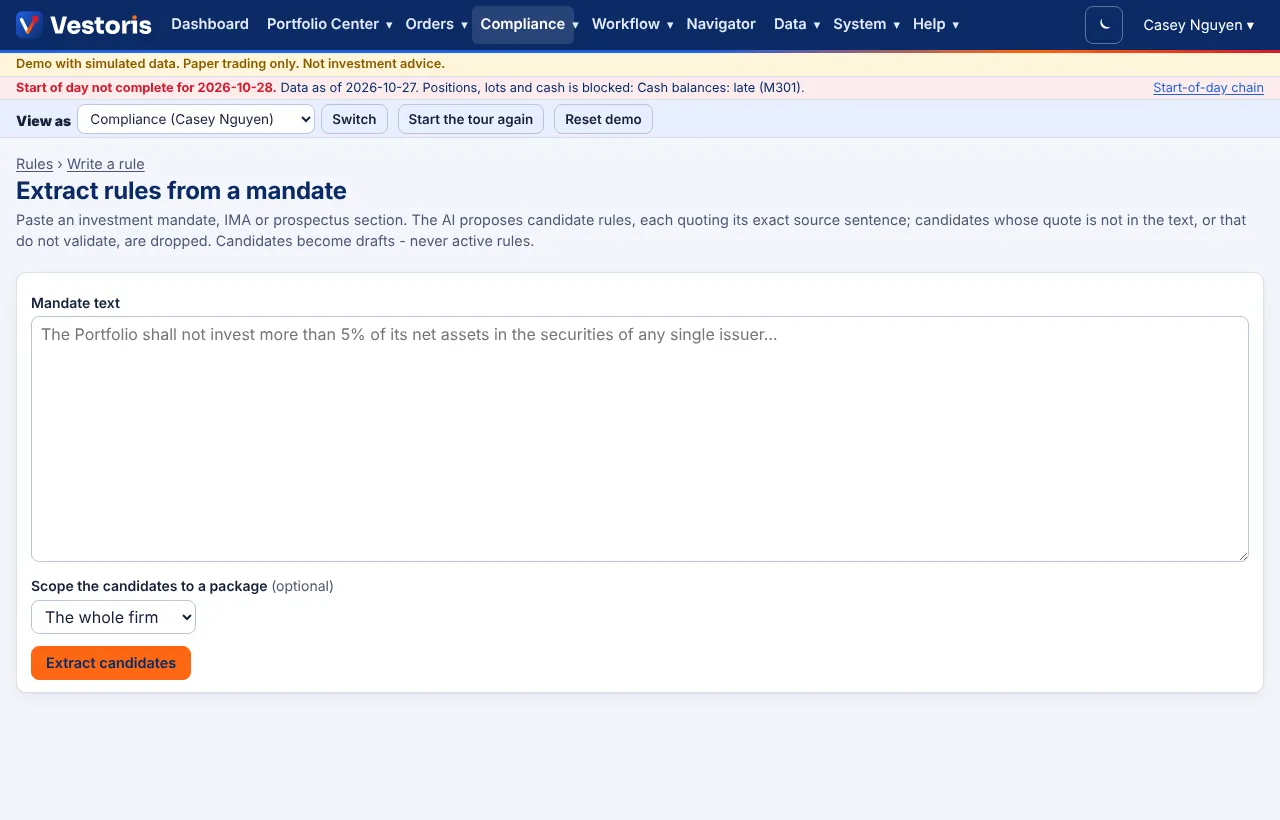
Write a rule › Extract from a mandate instead (/app/compliance/extract): paste an investment mandate, IMA or prospectus section, optionally pick the package the candidates belong to, and press Extract candidates. The AI proposes candidate rules, each quoting its exact source sentence; code checks the quote is really in the text and drops candidates that do not validate. Candidates become drafts, never active rules: each goes through the test bench and sign-off.
On Packages and lists, Coverage review compares a package's mandate text with the rules assigned to it and lists possible gaps.
Without the AI
If the AI is off for the firm (or unavailable), use the advanced form: every rule type can be built there.
Tips
- Name the accounts the way Vestoris knows them: a package ("the Growth mandate"), a group, an account code, or "every account".
- Say the severity ("block", "warn") to avoid a question.
Related articles
Do it with the API
Every action on this screen can also be done by your own systems, under the same permissions. See Authentication to get a token.
- POST
/api/v1/compliance/rulesDraft a rule (structured definition) - POST
/api/v1/compliance/rules/{id}/test-benchRun the test bench (202: a job) - POST
/api/v1/compliance/rules/{id}/submitSubmit for sign-off
Paper trading only: orders and fills in Vestoris are simulated. Nothing here is investment advice.