


Overrides of soft warnings
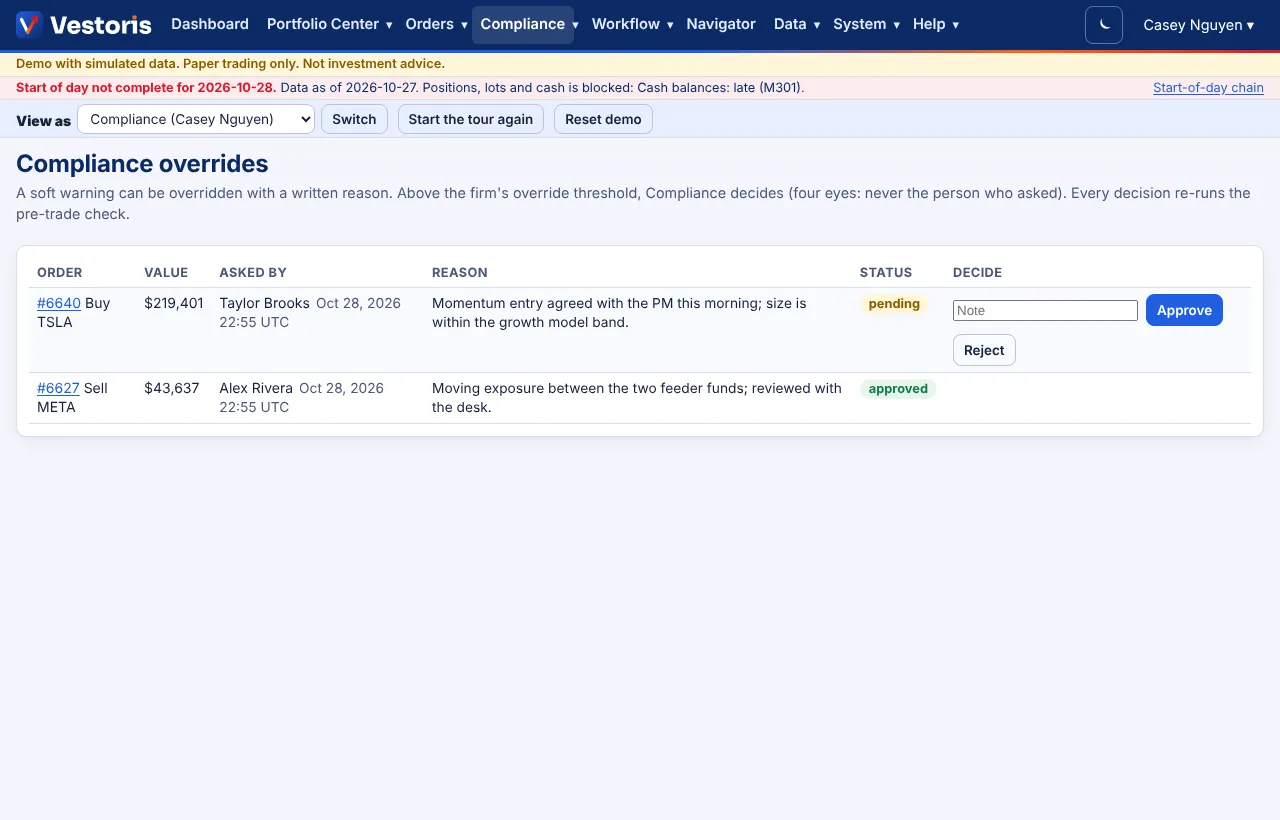
A soft warning holds the order until someone writes a reason; above the firm's threshold, Compliance decides (four eyes).
At a glance
- Where
- Compliance › Overrides (
/app/compliance/overrides) - Who
- The requester (with trade or propose) writes the reason; Compliance (approve overrides) decides overrides above the threshold, never their own. Roles and permissions
Try it in the demo A private sandbox firm, no sign-up. Simulated data only.
On this page
How an override works
- An order hits a soft warning (for example a watch-list name) and goes to Compliance hold.
- The trader or portfolio manager opens the order, writes the reason under Override the soft warning and presses Record the override.
- At or below the firm's override threshold (Compliance approves overrides above ($) in Firm settings), the order continues: approval if needed, then release.
- Above the threshold the override waits on Compliance › Overrides. A Compliance user who is not the requester presses Approve or Reject. Every decision re-runs the pre-trade check.
Hard blocks cannot be overridden.
Fields
| Column | Meaning |
|---|---|
| Order | The order and its side and symbol. |
| Value | The order's value, compared with the threshold. |
| Asked by | Who wrote the reason, and when. |
| Reason | The written reason (kept with the order and in the event log). |
| Status | pending, approved or rejected. |
Tips
- A workflow rule can change who decides overrides or auto-approve small ones (Workflow rules); the default rule reproduces the firm threshold.
- An order that was overridden is never auto-approved by a workflow rule.
Related articles
Do it with the API
Every action on this screen can also be done by your own systems, under the same permissions. See Authentication to get a token.
- POST
/api/v1/orders/{id}/overrideOverride a soft compliance warning with a written reason - GET
/api/v1/overridesOverride requests - POST
/api/v1/overrides/{id}/decisionApprove or reject an override (Compliance; four eyes)
Paper trading only: orders and fills in Vestoris are simulated. Nothing here is investment advice.