


Rules, the test bench and sign-off
The list of rules, a rule's page with its restatement and test bench, and how a rule is signed off, sent back, changed or retired.
At a glance
- Where
- Compliance › Rules (
/app/compliance/rules) - Who
- Everyone can read rules. Portfolio Managers and Compliance draft (author compliance rules); only approve compliance rules (Compliance) signs off, never their own rule. Roles and permissions
- API
- GET
/compliance/rulesGET/compliance/rules/{id}GET/compliance/rules/{id}/versionsPOST/compliance/rules/{id}/test-benchPOST/compliance/rules/{id}/submitGET/compliance/rules/{id}/sign-offPOST/compliance/rules/{id}/sign-offPOST/compliance/rules/{id}/rejectPOST/compliance/rules/{id}/retirePATCH/compliance/rules/{id}
Try it in the demo A private sandbox firm, no sign-up. Simulated data only.
On this page
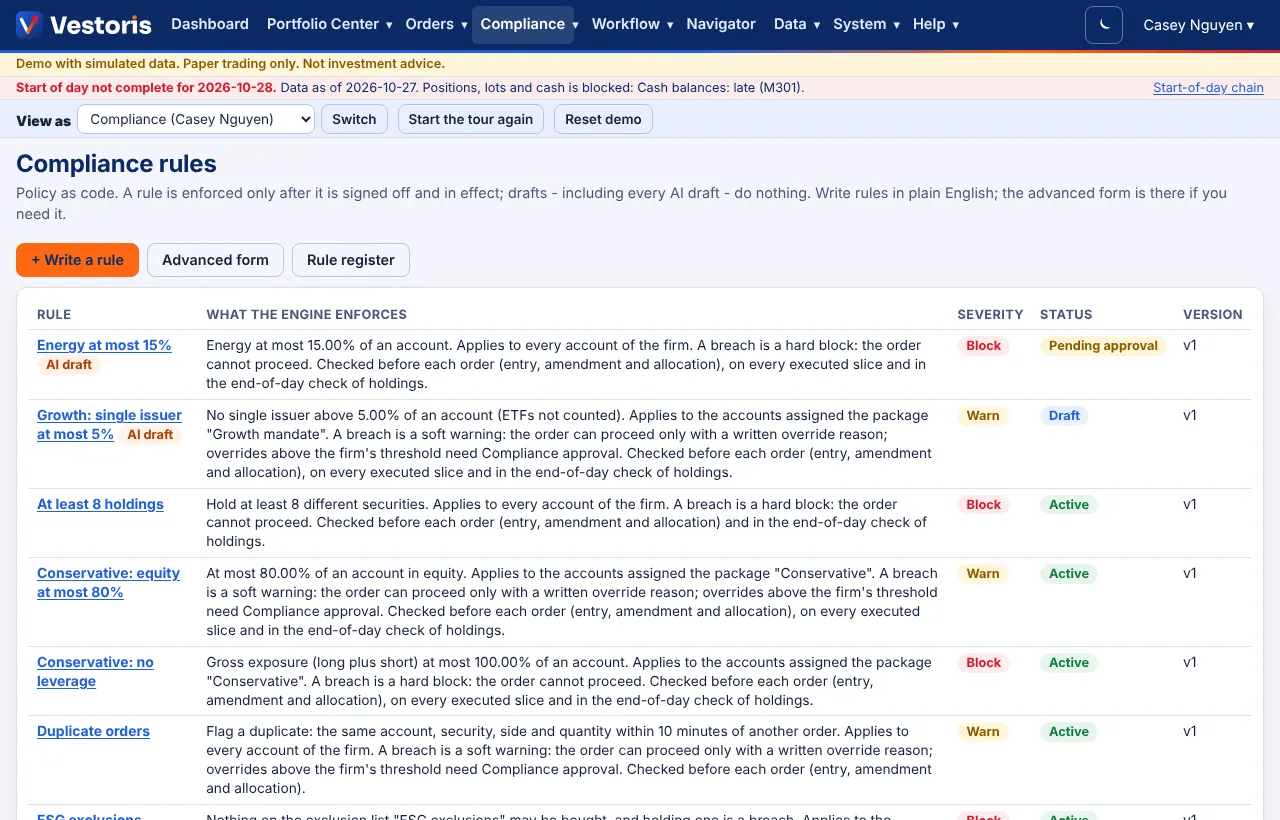
The list
Every rule with what the engine enforces (the restatement), severity, status (Draft, Pending approval, Active, Retired, Superseded) and version; AI draft marks rules the AI drafted. Buttons: + Write a rule, Advanced form, Rule register.
A rule's page
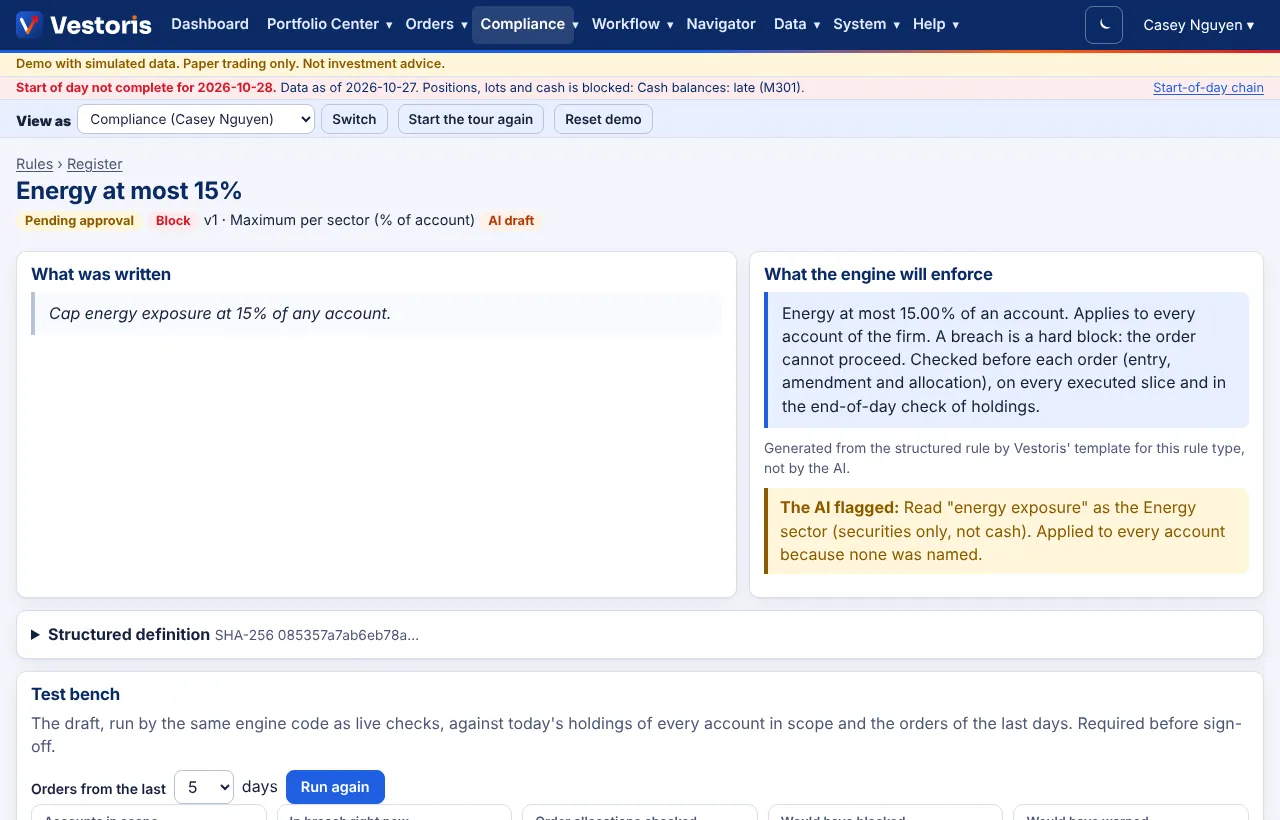
- What was written: the author's words.
- What the engine will enforce: generated from the structured rule by Vestoris' template for the rule type, not by the AI. Anything the AI interpreted is flagged ("The AI flagged: Read "energy exposure" as the Energy sector…").
- Structured definition SHA-256: the fingerprint of the exact version.
- Test bench: required before sign-off.
- Sign-off, Excuse an account, Versions, Sign-offs and Violations of this rule.
The test bench
The draft is run by the same engine code as live checks, against today's holdings of every account in scope and the orders of the last days (choose how many, Run again). It shows the accounts in scope, which are in breach right now, the order allocations checked, and what it would have blocked or warned on, account by account.

Sign off
- Open the rule (Compliance dashboard › Waiting for you, or the list).
- Read the restatement and the test bench. You approve exactly this definition (its SHA-256), its restatement and the test-bench result shown.
- Write the reason for approving, choose Effective (now, or a date and time in UTC), confirm with your password (demo personas type APPROVE) and press Approve and sign off.

The approval records who, when, why, the exact version, the original wording, the restatement and the test-bench result, and goes into the hash-chained event log. Four eyes: the author never signs off their own rule (unless the firm allows a single Compliance user, which the register marks).
Send back: write comments and press Send back; the draft returns to its author.
Change or retire a rule
- Change this rule drafts a new version, shown as a diff of the structured rule and of the restatements. It goes through the test bench and sign-off; the old version stays in force until the new one takes over.
- Ask to retire needs a sign-off too.
Excuse an account
On an active rule, pick an account under Excuse an account, write the reason and press Add exception. The exception applies to every version of the rule and is in the event log.
The advanced form
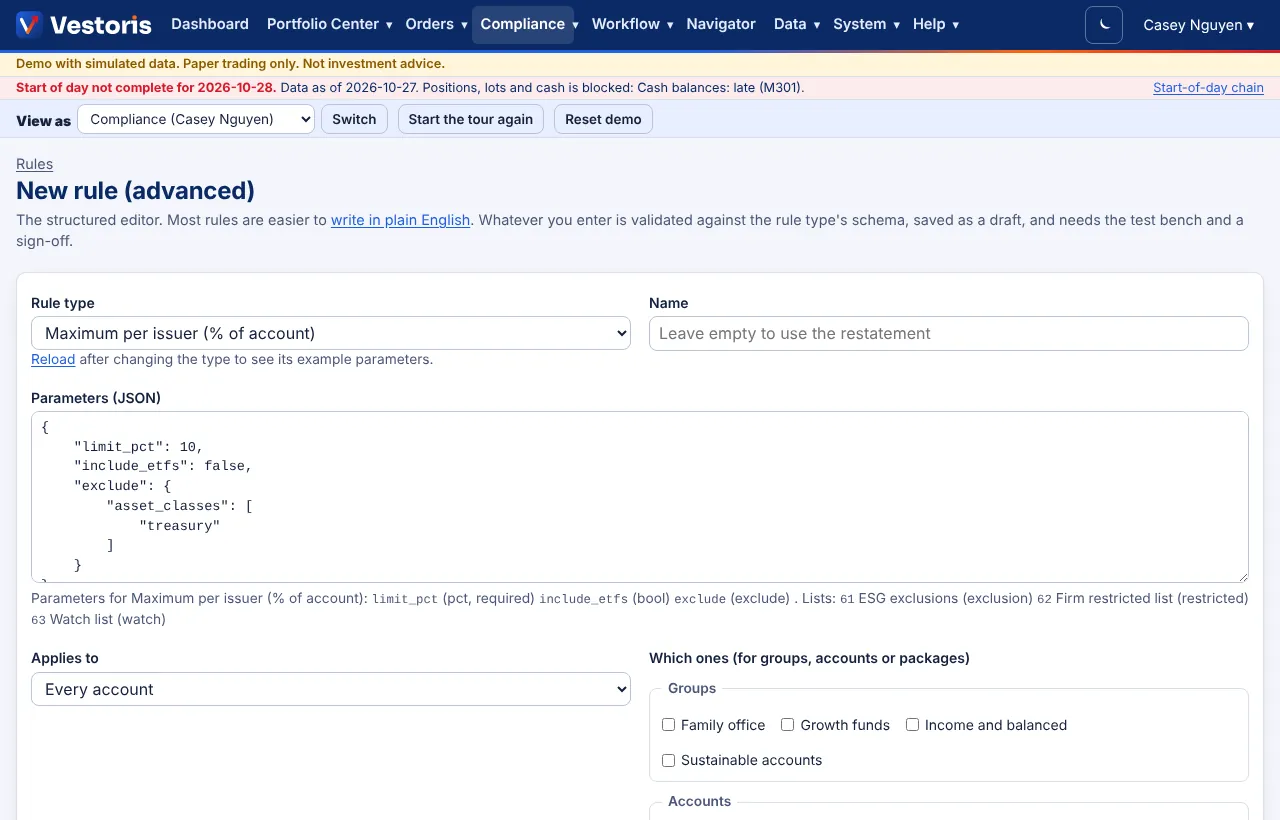
Advanced form (/app/compliance/rules/new) is the structured editor: rule type, name, parameters as JSON (the parameters of the chosen type are listed under the box), applies to (every account, groups, accounts or packages), severity, and when it runs (before each order, on every executed slice, end-of-day check). It is validated against the rule type's schema and saved as a draft.
Related articles
Do it with the API
Every action on this screen can also be done by your own systems, under the same permissions. See Authentication to get a token.
- GET
/api/v1/compliance/rulesRules (every version) - GET
/api/v1/compliance/rules/{id}One rule version with restatement and test bench - GET
/api/v1/compliance/rules/{id}/versionsEvery version of the rule's lineage - POST
/api/v1/compliance/rules/{id}/test-benchRun the test bench (202: a job) - POST
/api/v1/compliance/rules/{id}/submitSubmit for sign-off - GET
/api/v1/compliance/rules/{id}/sign-offWhat you would sign off, with a confirmation token for X-Vestoris-Confirm - POST
/api/v1/compliance/rules/{id}/sign-offSign off (a person, never client credentials; X-Vestoris-Confirm) - POST
/api/v1/compliance/rules/{id}/rejectSend back to the author with comments - POST
/api/v1/compliance/rules/{id}/retireAsk for an active rule to be retired (signed off like a change) - PATCH
/api/v1/compliance/rules/{id}Change a draft (If-Match)
Paper trading only: orders and fills in Vestoris are simulated. Nothing here is investment advice.