


Help center › Data and Interfaces
The loading center
Load reference data, holdings and market data from a file or a folder: column mapping, deterministic validation, a diff before anything changes, apply and undo.
At a glance
- Where
- System › Data and Interfaces › Loading center (
/app/data) - Who
- Users with load data: Operations and Admins. Only an Admin loads users and roles. Roles and permissions
Try it in the demo A private sandbox firm, no sign-up. Simulated data only.
Every file is staged first: you see what is new, changed, unchanged and rejected before anything changes, and an applied batch can be undone.
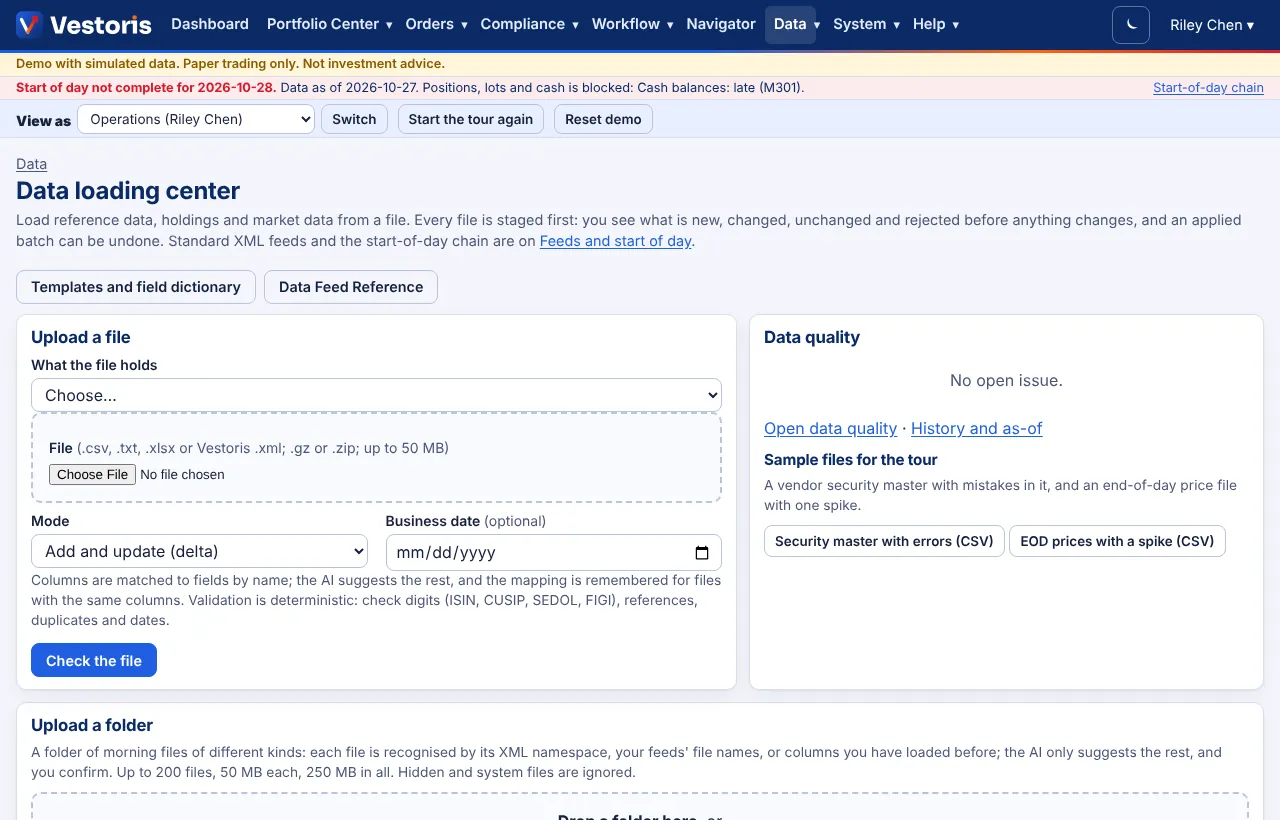
Load a file
- What the file holds: pick the data set (calendars, blackout windows, issuers, security master, classifications, security lists, accounts, account groups, model portfolios, benchmarks, brokers, positions, tax lots, cash balances, end-of-day or intraday prices, FX rates, average daily volume, corporate actions, risk factors).
- File: .csv, .txt, .xlsx or Vestoris .xml; .gz or .zip; up to 50 MB.
- Mode: Add and update (delta), or Complete file (full): records missing from the file are inactivated.
- Business date (optional), then Check the file.
- Column mapping: columns are matched to fields by name; the AI suggests the rest. You see the mapping and can change it; it is remembered for files with the same columns. Vestoris XML needs no mapping.
- Validation is deterministic: ISIN, CUSIP, SEDOL and FIGI check digits, references to accounts and securities that exist, duplicates in the file, dates and numbers. Each rejected row has a code (R101, R104…) and the error file lists them. "Explain in plain English" asks the AI to word the reasons; the codes stay the same.
- The diff: new, changed (old → new), unchanged, rejected, deleted or inactivated.
- Apply: one transaction; every change is recorded. Or Discard.
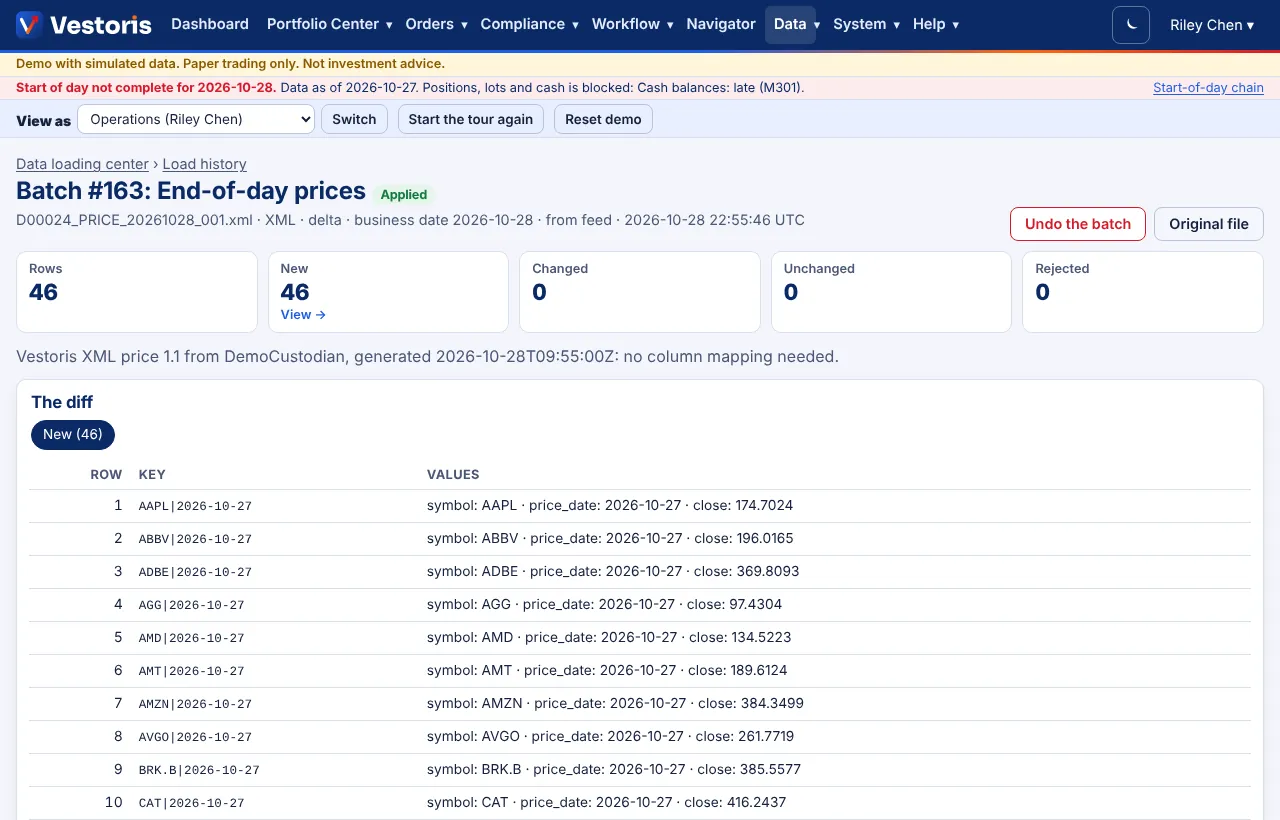
Undo
An applied batch can be undone as a whole from its page (Load history). If something depends on it since (for example a trade on loaded lots) the undo is refused and the reason is shown.
Upload a folder
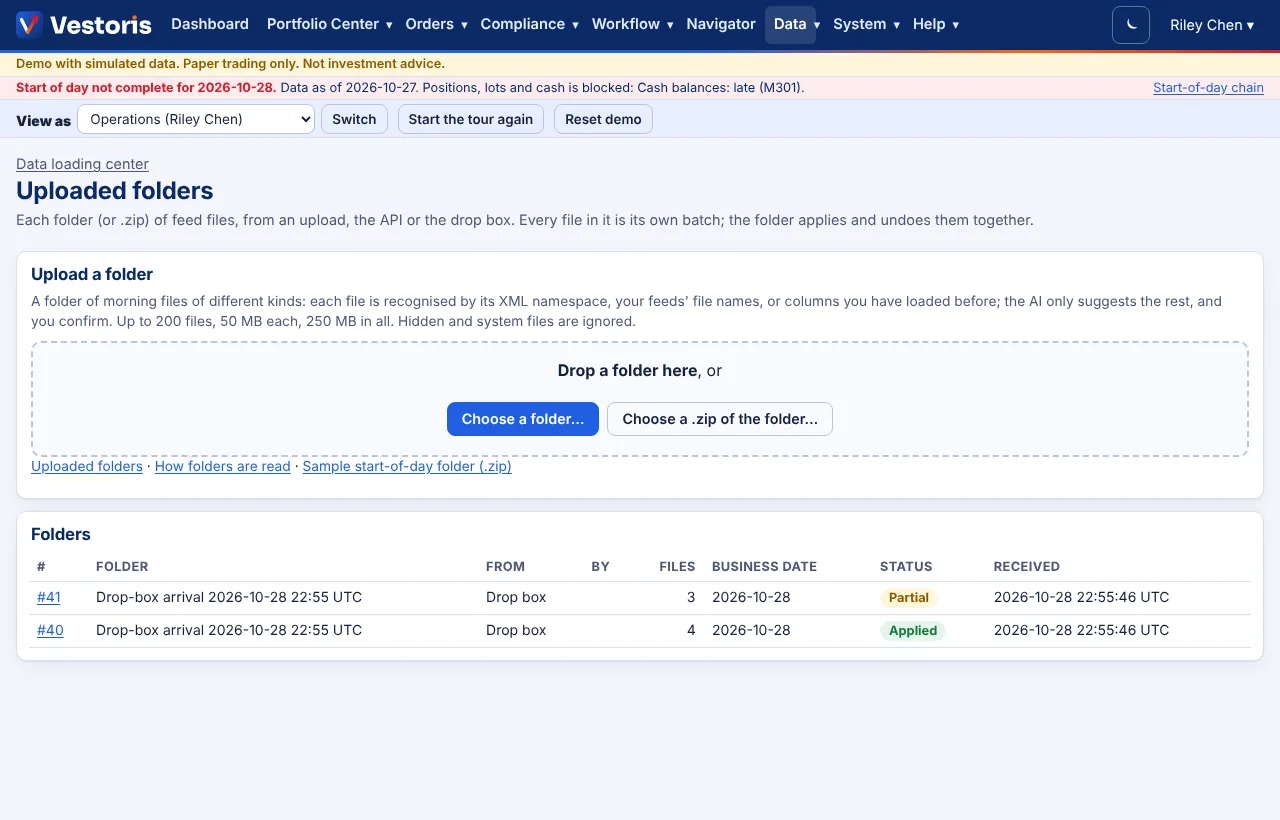
Send a whole morning's files at once: Choose a folder…, drop a folder on the page, or choose a .zip of it (on a phone or tablet, zip it first). Up to 200 files, 50 MB each, 250 MB in all. Each file is recognised by its XML namespace, a feed's file name, or columns you have loaded before; when only the AI can guess, it suggests and you confirm. On the review screen change any file's data set or exclude it, then Check all files: they are checked in start-of-day order, each as its own batch with its diff. Apply all clean files applies them in order (a file whose dependency has errors waits), and Undo the folder undoes them newest first. Details: Uploading a folder.
Sample files
The demo has samples for the tour: a vendor security master with mistakes in it, an end-of-day price file with one spike, and a sample start-of-day folder (.zip).
The record
Every batch is in the event log with who loaded it, when, the file's SHA-256 and the counts. The original file is stored encrypted for its retention period and can be downloaded from the batch.
Related articles
Do it with the API
Every action on this screen can also be done by your own systems, under the same permissions. See Authentication to get a token.
- POST
/api/v1/data/{dataset}Load a file (CSV, TXT, XLSX or Vestoris XML) into a data set; the body is the file - GET
/api/v1/batches/{id}A batch's status and counts - GET
/api/v1/batches/{id}/rowsA batch's rows: the diff and the rejected rows with codes - POST
/api/v1/batches/{id}/applyApply a staged batch - POST
/api/v1/batches/{id}/discardDiscard a staged batch - POST
/api/v1/feeds/bundlesLoad a folder of feed files (.zip); each file needs its data:load scope - GET
/api/v1/feeds/bundles/{id}A folder's status, per file
Paper trading only: orders and fills in Vestoris are simulated. Nothing here is investment advice.