


My work
What waits on you, what you asked for, what you watch, and your notifications.
At a glance
- Where
- Workflow › My work (
/app/workflow/mine) - Who
- Everyone (a Viewer only watches). Roles and permissions
Try it in the demo A private sandbox firm, no sign-up. Simulated data only.
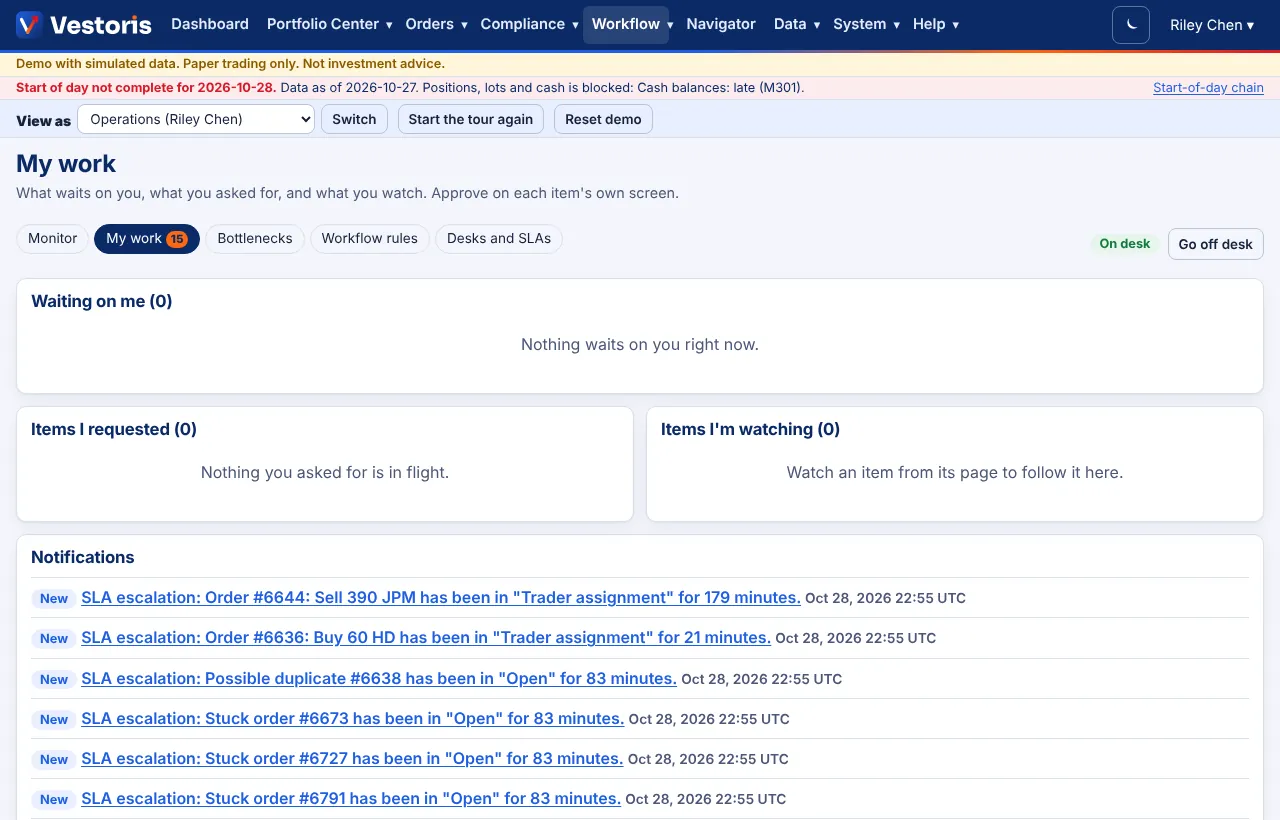
- Waiting on me: items assigned to you, in your desk's queue, or where your approval counts (four eyes: never items you requested).
- Items I requested: your orders, overrides and rules still in flight, with where they are.
- Items I'm watching: press Watch this item on any item to follow it here.
- Notifications: SLA escalations and rule notifications ("New SLA escalation: Order #5433 has been in Trader assignment for 21 minutes").
The My work tab of the workflow menu shows how many items wait on you. Approve on each item's own screen.
Related articles
Do it with the API
Every action on this screen can also be done by your own systems, under the same permissions. See Authentication to get a token.
- GET
/api/v1/workflow/my-workWhat waits on you, what you requested, what you watch
Paper trading only: orders and fills in Vestoris are simulated. Nothing here is investment advice.