


The dashboard
Your landing page: the accounts you can see, open orders, what waits for approval, compliance items and alerts.
At a glance
- Where
- Dashboard (
/app) - Who
- Everyone. What it shows depends on your role and permissions; a Trader can open it with Dashboard (they land on the blotter). Roles and permissions
Try it in the demo A private sandbox firm, no sign-up. Simulated data only.
On this page
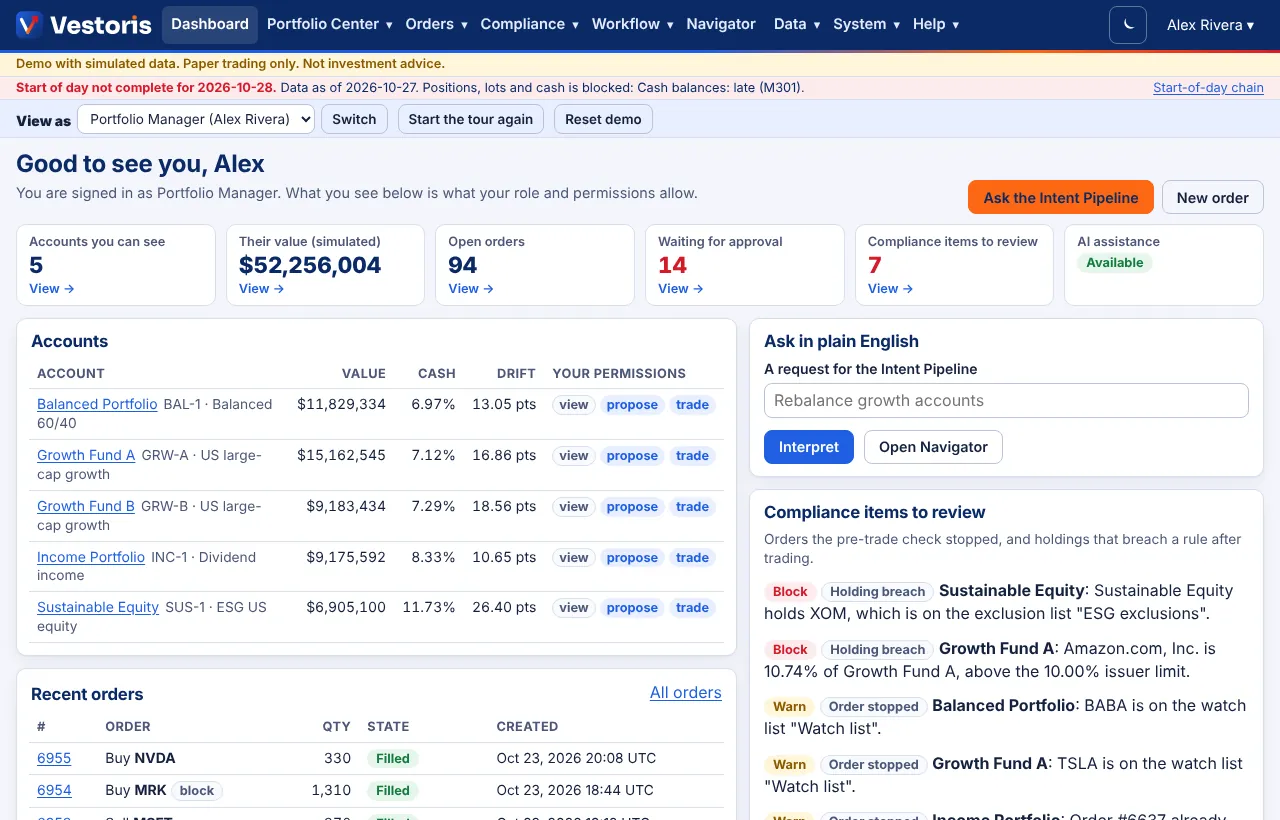
The dashboard is the first page after you sign in (Traders land on the trade blotter and reach the dashboard from the Dashboard menu). It shows only what your role and account permissions allow.
What is on it
- Ask the Intent Pipeline and New order buttons (greyed when your role cannot use them).
- Summary boxes: Accounts you can see, Their value (simulated), Open orders, Waiting for approval, Compliance items to review and AI assistance (available, or off for the firm). Each box with a View → link opens the list behind it, already filtered.
- Accounts: value, cash %, drift from the model in points, and your permissions on each account.
- Recent orders with their state; All orders opens the order list.
- Ask in plain English: type a request such as "Rebalance growth accounts" and press Interpret to start it in the Intent Pipeline. Open Navigator asks a question instead.
- Compliance items to review: orders the pre-trade check stopped and holdings that breach a rule after trading, marked Block or Warn.
- Open alerts (Admin and Compliance): duplicate and stuck orders, surveillance hits.
By role
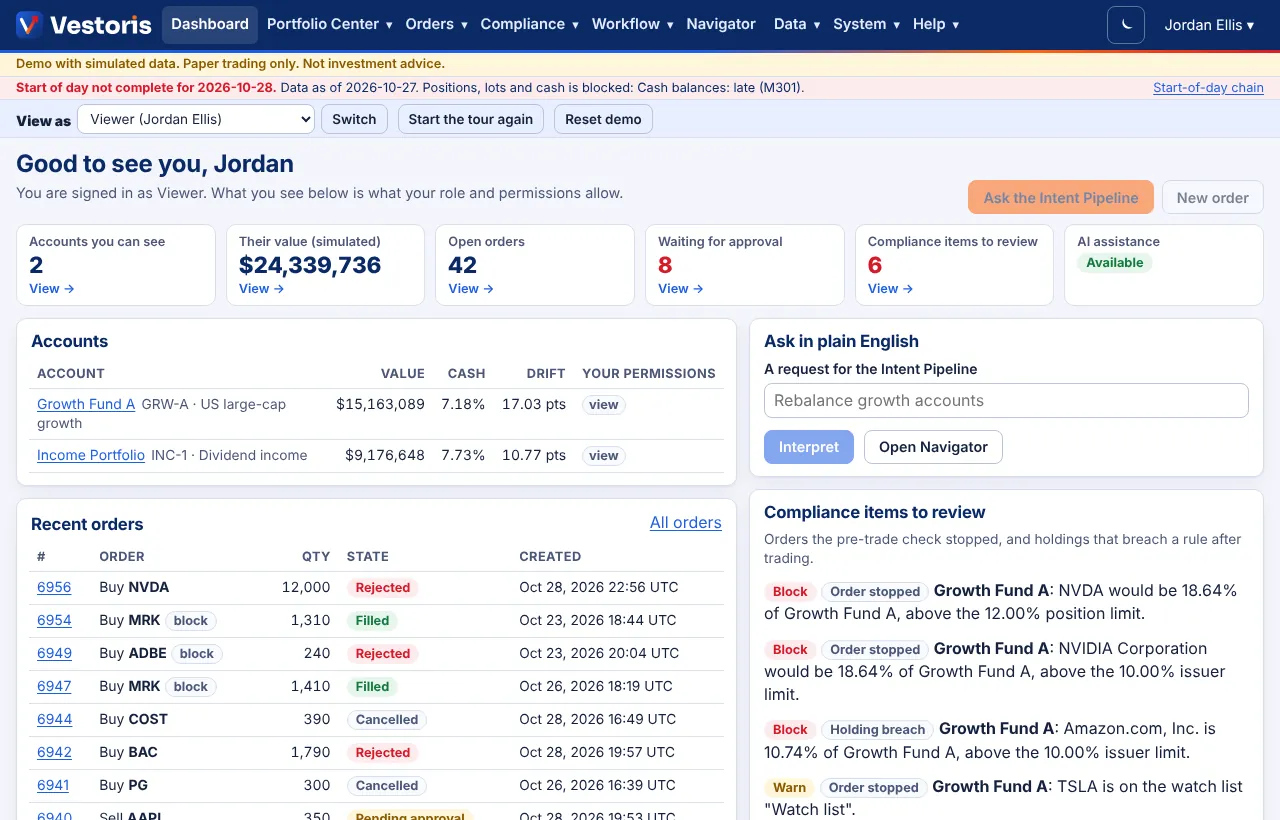
- Viewer: sees only accounts granted view; the action buttons are greyed with the reason.
- Trader: lands on the blotter; the dashboard shows the same boxes for the accounts they trade.
- Compliance and Admin: see every account, with alerts.
Tips
- The start-of-day banner ("Start of day not complete … Data as of …") means the morning data chain has not finished; see Start of day.
- The values are at the latest simulated (or uploaded) closes.
Related articles
Do it with the API
Every action on this screen can also be done by your own systems, under the same permissions. See Authentication to get a token.
- GET
/api/v1/meWho the token acts as: user or service account, firm, role, privileges, scopes - GET
/api/v1/accountsThe accounts you can see, valued at the latest simulated closes - GET
/api/v1/ordersOrders on the accounts you can see - GET
/api/v1/compliance/violationsViolations - GET
/api/v1/surveillance/alertsSurveillance and anomaly alerts
Paper trading only: orders and fills in Vestoris are simulated. Nothing here is investment advice.