


Help center › Portfolio Center
Model portfolios
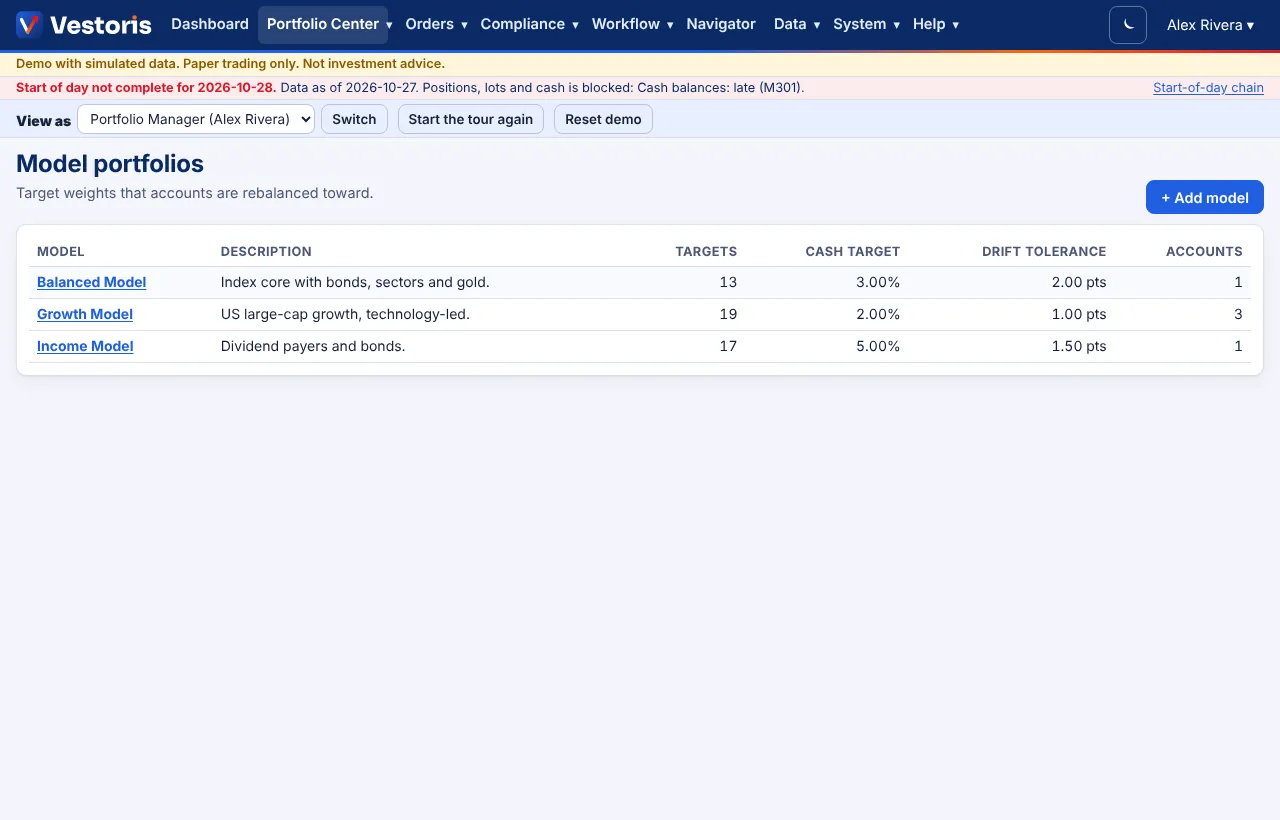
Target weights per security, a cash target and a drift tolerance that accounts are rebalanced toward.
At a glance
- Where
- Portfolio Center › Model portfolios (
/app/models) - Who
- Everyone can read models. Portfolio Managers and Admins create and change them; assigning a model to an account needs manage accounts (Admins). Roles and permissions
Try it in the demo A private sandbox firm, no sign-up. Simulated data only.
A model portfolio says what an account should hold: a target weight per security, a cash target, and a drift tolerance (in points) under which a rebalance leaves a holding alone.
Create or change a model
- Portfolio Center › Model portfolios › + Add model (or open a model).
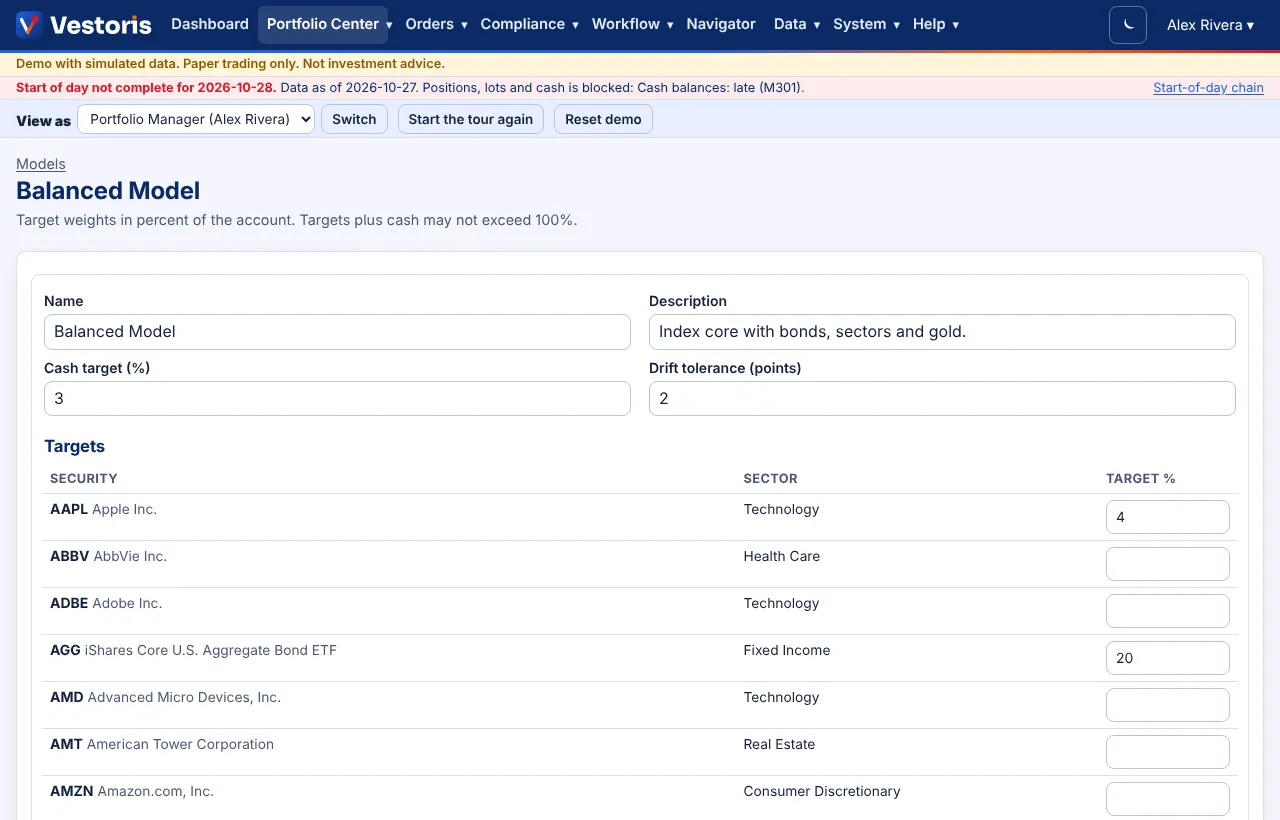
- Enter a name and description, the cash target (%) and the drift tolerance (points).
- Type a target % next to each security you want; leave the others empty. Targets plus cash may not exceed 100%.
- Save model. The change is in the event log; accounts on the model show the new drift at once.
Faster: in plain English
On Portfolio Center's command bar: Create a model called Dividend Growth: 40% JNJ, KO, PEP and PG, 30% Health Care, 20% Utilities, 10% cash, or Set NVDA to 6% in the Growth model. A sector is spread over its largest names; you see a preview before anything is saved. See Portfolio Center commands.
Assign a model to an account
Edit the account and pick its Model portfolio, or use the command bar: Assign the Dividend Growth model to the Income Portfolio. Needs manage accounts.
Fields
| Field | Meaning |
|---|---|
| Targets | Number of securities with a target. |
| Cash target | Cash the rebalance keeps, in percent of the account. |
| Drift tolerance | Holdings within this many points of their target are not traded. |
| Accounts | How many accounts use the model. |
Tips
- A security an account holds but the model does not list has a target of 0: a rebalance sells it (unless you exclude it).
- Models can also be loaded from files (data set Model portfolios).
Related articles
Do it with the API
Every action on this screen can also be done by your own systems, under the same permissions. See Authentication to get a token.
- GET
/api/v1/modelsModel portfolios - GET
/api/v1/models/{id}One model with targets - POST
/api/v1/modelsCreate a model - PUT
/api/v1/models/{id}Replace a model's targets (If-Match) - PATCH
/api/v1/accounts/{id}Change an account, incl. its model (If-Match)
Paper trading only: orders and fills in Vestoris are simulated. Nothing here is investment advice.