


Help center › Data and Interfaces
Reference data values
Edit and search the user-defined values of issuers, brokers, account groups, benchmarks, desks and list entries.
At a glance
- Where
- System › Data and Interfaces › Reference data values (
/app/udf/issuers/records) - Who
- Users with load data: Operations and Admins. Roles and permissions
Try it in the demo A private sandbox firm, no sign-up. Simulated data only.
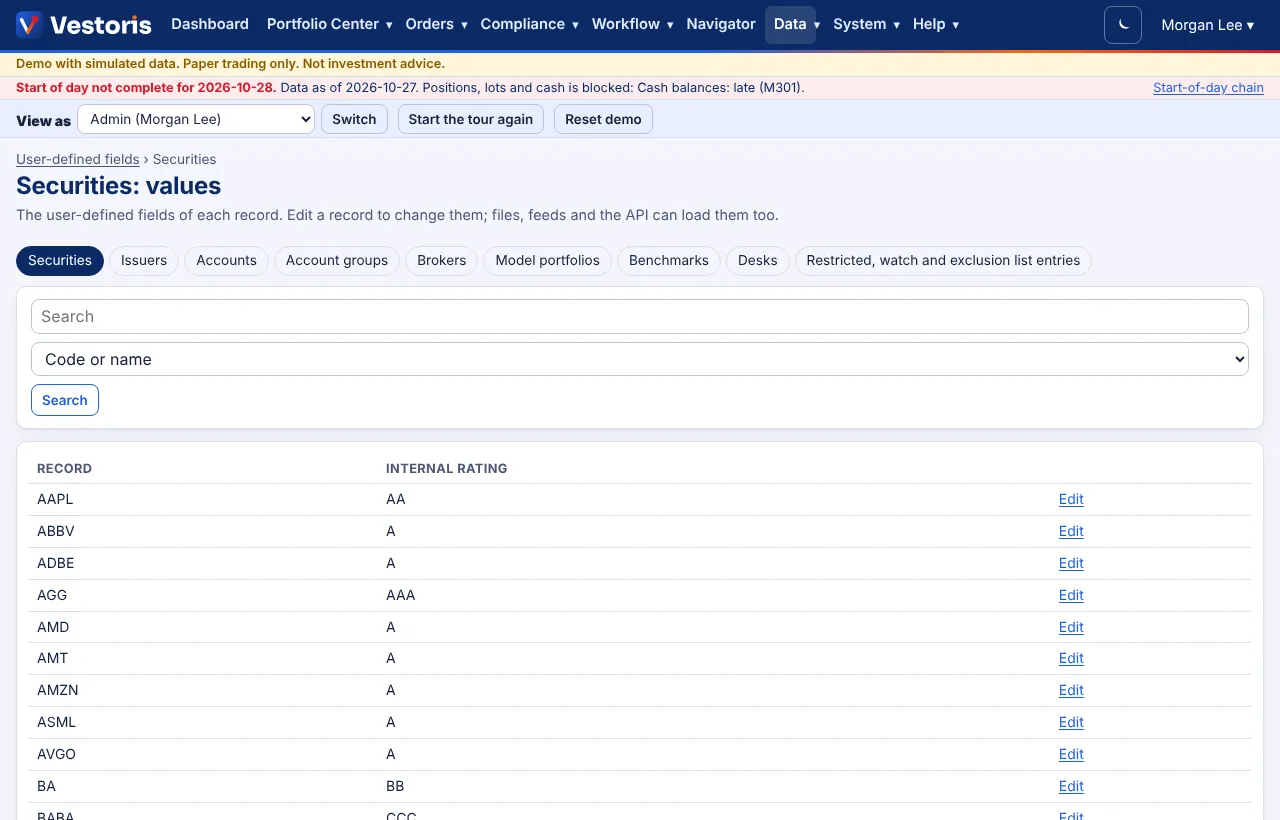
Securities, accounts, models and desks have their user-defined fields on their own forms. This page covers every table, including those without a form of their own: issuers, brokers, account groups, benchmarks, desks and the entries of restricted, watch and exclusion lists.
- Pick the table.
- Search: code or name, or a user-defined field marked searchable ("In").
- Open a record and change its values; they are validated like any form (type, required, minimum and maximum, pattern, list options).
If a table has no active fields the page says so, with a link to set them up (User-defined fields). Values can also be loaded from files, XML feeds (version 1.1 formats) and the API (PUT /udf/{table}/records/{key} with If-Match).
Related articles
Do it with the API
Every action on this screen can also be done by your own systems, under the same permissions. See Authentication to get a token.
- GET
/api/v1/udf/{table}/records/{key}The user-defined values of one record - PUT
/api/v1/udf/{table}/records/{key}Set user-defined values of one record (If-Match) - GET
/api/v1/issuersIssuers - GET
/api/v1/brokersBrokers (reference only: Vestoris connects to no broker) - GET
/api/v1/benchmarksBenchmarks with constituents - GET
/api/v1/account-groupsAccount groups (members limited to the accounts you can see)
Paper trading only: orders and fills in Vestoris are simulated. Nothing here is investment advice.